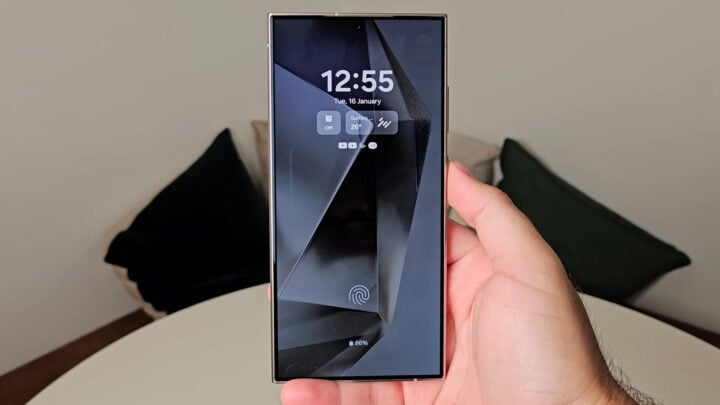
The introduction of Samsung’s AI Generative Edit tool is stirring quite a buzz in the world of smartphone photography. Integrated into the Gallery app of the Galaxy S24 series, the feature boasts of advanced capabilities meant to enhance photo editing for users. After spending some time with the tool on the Galaxy S24+, it’s evident that while the feature holds remarkable potential, there’s still room for improvement.
AI ‘Rotate-and-Fill’ Feature: A Promising Start
The ‘rotate-and-fill’ aspect of Generative Edit allows users to rotate their photos and have the AI seamlessly fill in any resulting gaps with generated pixels. In many cases, this feature can astoundingly recreate reflections and maintain the correct perspective, delivering an edited photo that’s almost indistinguishable from the original.
However, the tool is not flawless. There are instances where the AI’s edits could be likened to hasty, amateur work — such as awkwardly transforming a bicycle seat into a bench or chopping off the top of a car. Despite these occasional mishaps, the results are mostly impressive, especially considering that most viewers tend to overlook the edges of images where these AI edits typically occur.
This ‘rotate-and-fill’ feature, even though not a replacement for professional image editing, is far from just a novelty. It can be a genuinely valuable asset for photo editing enthusiasts.
‘Object Cropping’ in Generative Edit: A Dicey Endeavor
Moving on to the ‘object cropping’ feature, it allows users to select objects within a photo by tapping and holding or drawing around them. After selecting the object, you can resize, rotate, or move it, and the AI attempts to intelligently fill in the background.
From practical application, it’s evident that this functionality is somewhat unreliable. The AI occasionally struggles with shadow recognition and accurate object selection. Missteps in object manipulation can be jarringly obvious, as they often occur in central parts of the image rather than the periphery.
Yet, when the AI does get it right, the results can appear almost magical. The sudden transformation and adaptation of objects in a scene can truly showcase the brilliance of the technology.
Generative Edit’s ‘Object Cropping’ Lacks Fine-Tuning Tools
Currently, the editing options for cropped objects are fairly limited. Users can’t adjust the perspective of objects (skewing), nor can they flip or mirror them. Additionally, the interface to resize and rotate objects is lacking in precision, making simultaneous object rotation and resizing a cumbersome endeavor.
Another setback is the inability to adjust the lighting of selected objects, resulting in inconsistencies when moving objects between areas with different lighting conditions.
All in all, the Galaxy S24’s AI Generative Edit feature is a mixed bag. The ‘rotate-and-fill’ component is commendably functional and fun, but the ‘object cropping’ tool falls short and feels unfinished. It would greatly benefit from additional editing tools to grant better manipulation control to the user.
As Samsung’s inaugural run at this AI-driven feature, it warrants a fair amount of optimism for the future. There is substantial potential here, and with improvements and updates, AI Generative Edit could evolve into an indispensable tool for photographers and editors using Samsung devices.
In the meantime, enthusiasts and users can experiment with this budding technology and expect to see its capabilities expand in subsequent updates.
Conclusion
The AI Generative Edit feature in Samsung’s Galaxy S24 is an innovative step in smartphone photo editing that shows great potential, and with refinements over time, it may well revolutionize the way we manipulate and enhance our images.


