The acclaimed freeware sound editor Audacity is innovating the audio editing landscape by incorporating AI-powered features into its toolkit. With a new range of AI plugins powered by Intel’s OpenVINO, users can now leverage cutting-edge technology to create and refine their audio works with ease and precision. A 2 GB plugin package, which is essential to enable these features, is freely accessible for download from Intel’s GitHub repository. To take advantage of the latest additions, ensure you have Audacity for Windows 64-bit installed.
Audacity has stood the test of time as a versatile platform for recording, editing, and analyzing audio tracks. The open-source nature of the program encourages contributions in the form of code and plugins, paving the way for innovations like the recently released AI plugins by Intel. These are particularly geared towards music editors and podcasters, aiming to streamline their creative processes.
For music editors, three groundbreaking tools have been introduced:
1. **Music Generation**: Users can input a text description to prompt the AI to generate a piece of music, which can be up to 60 seconds long. This eliminates the hassle of sourcing stock or custom music, especially useful for commercial and film creators.
2. **Music Style Remix**: With this tool, you can transform the style of a music track, allowing the AI to re-envision it in an entirely different musical genre.
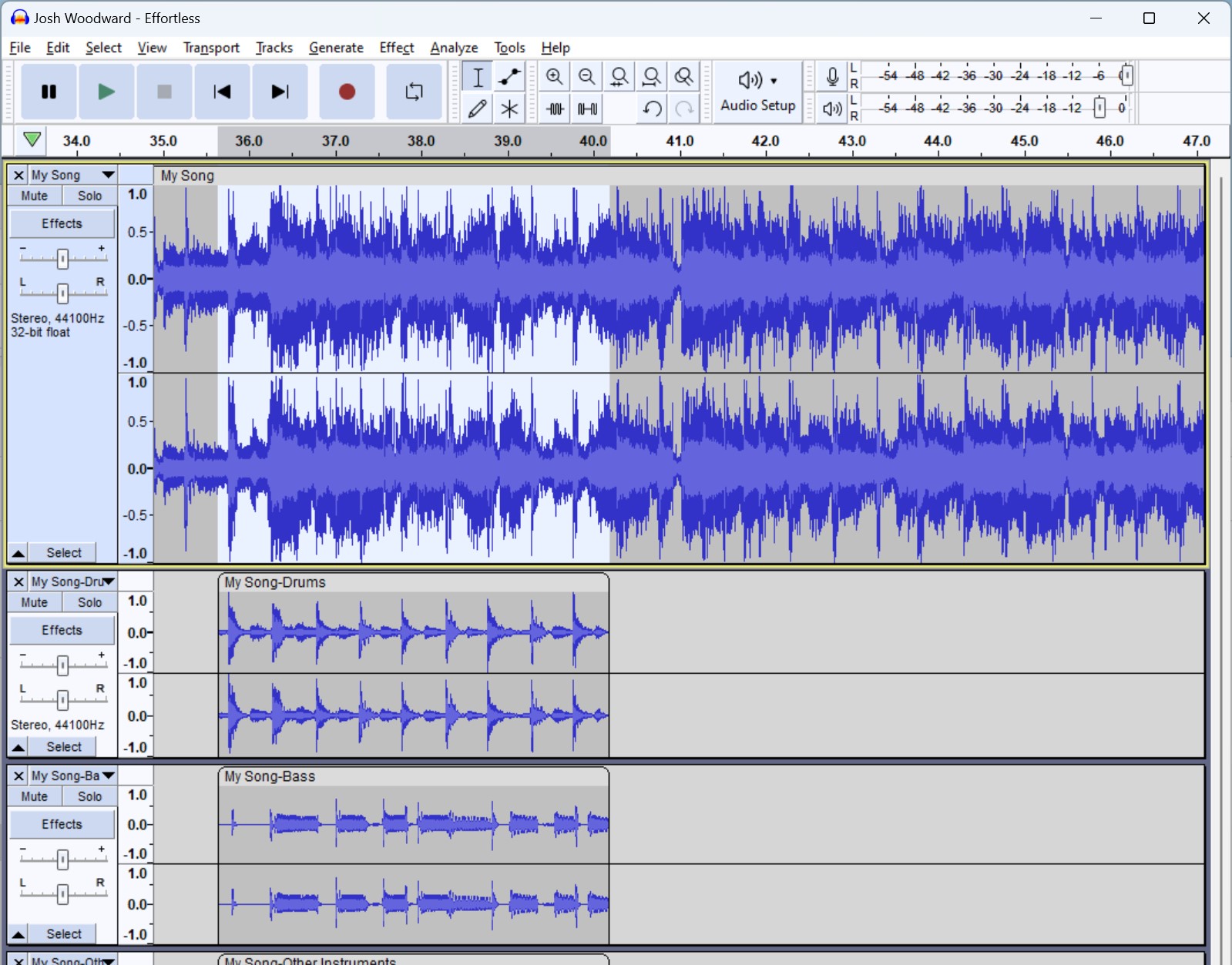
3. **Music Separation**: This powerful plugin enables the splitting of a music recording into separate audio tracks. Whether you need to isolate vocals from instruments or divide the track into vocals, drums, bass, and other instruments, this tool handles it proficiently.
Podcasters can also rejoice with two specialized tools designed to enhance their production quality:
1. **Noise Suppression**: Bid farewell to distracting background noises in podcast recordings with this plugin that ensures a cleaner, more professional sound.
2. **Transcription with Optional Translation**: This feature transcribes spoken words into written text and can even translate non-English recordings into English, which is invaluable for reaching a broader audience.
When you embark on editing your following podcast episode or music album, consider pairing these AI plugins with some high-quality headphones or studio monitors for an optimal audio editing experience. These AI integrations into Audacity are not just about convenience; they are set to revolutionize how creators interact with audio on a fundamental level, making professional-grade editing more accessible than ever.


