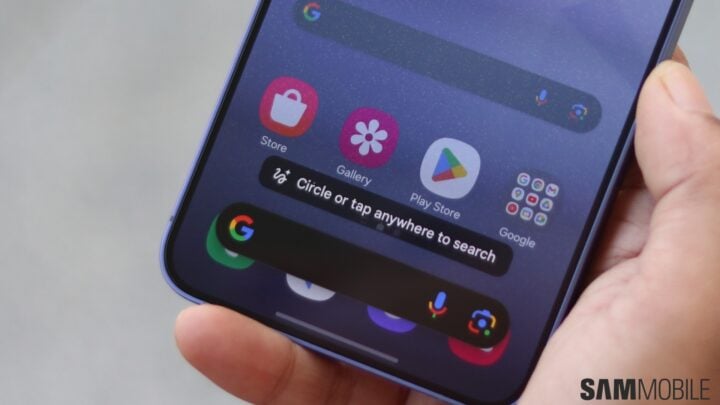
The Galaxy S24, which stands as one of Samsung’s latest flagships, integrates advanced artificial intelligence to redefine the modern smartphone experience. This lineup includes a variety of innovative AI-powered features, ready to boost your daily device interactions.
Among these features is the intuitive Circle to Search function. By simply long-pressing the home button, users can swiftly gather information about what’s displayed on their screen. The feature invites you to draw a circle around any point of interest, prompting Google to display relevant results based on the encircled item.
Circle to Search is a versatile tool; whether it’s recognizing a visible element in an image—like clothing, a food item, or even a vehicle on social media—or its latest enhancement: interpreting and handling text.
Many Galaxy S24, S24+, and S24 Ultra users may not yet be familiar with Circle to Search’s text capabilities. To activate the feature, engage it using the home button, or for those using gesture navigation, the screen’s bottom handle. Once active, selecting text is straightforward. A simple tap selects a single word, while tapping and dragging enables selection of multiple words, replicable in other text selection contexts.
A defining attribute of Circle to Search is its ability to select text in any on-screen context—even within apps that typically restrict text selection. Beyond straightforward Google searches, the feature also offers the convenience of copying and translating the highlighted text.
To delve deeper into the functionalities of Circle to Search and other AI features on the Galaxy, watch the educational video provided. Additionally, for Galaxy S23 users or those with Samsung’s flagship phones or tablets launched in 2023, these innovative capabilities will become available with the One UI 6.1 update.