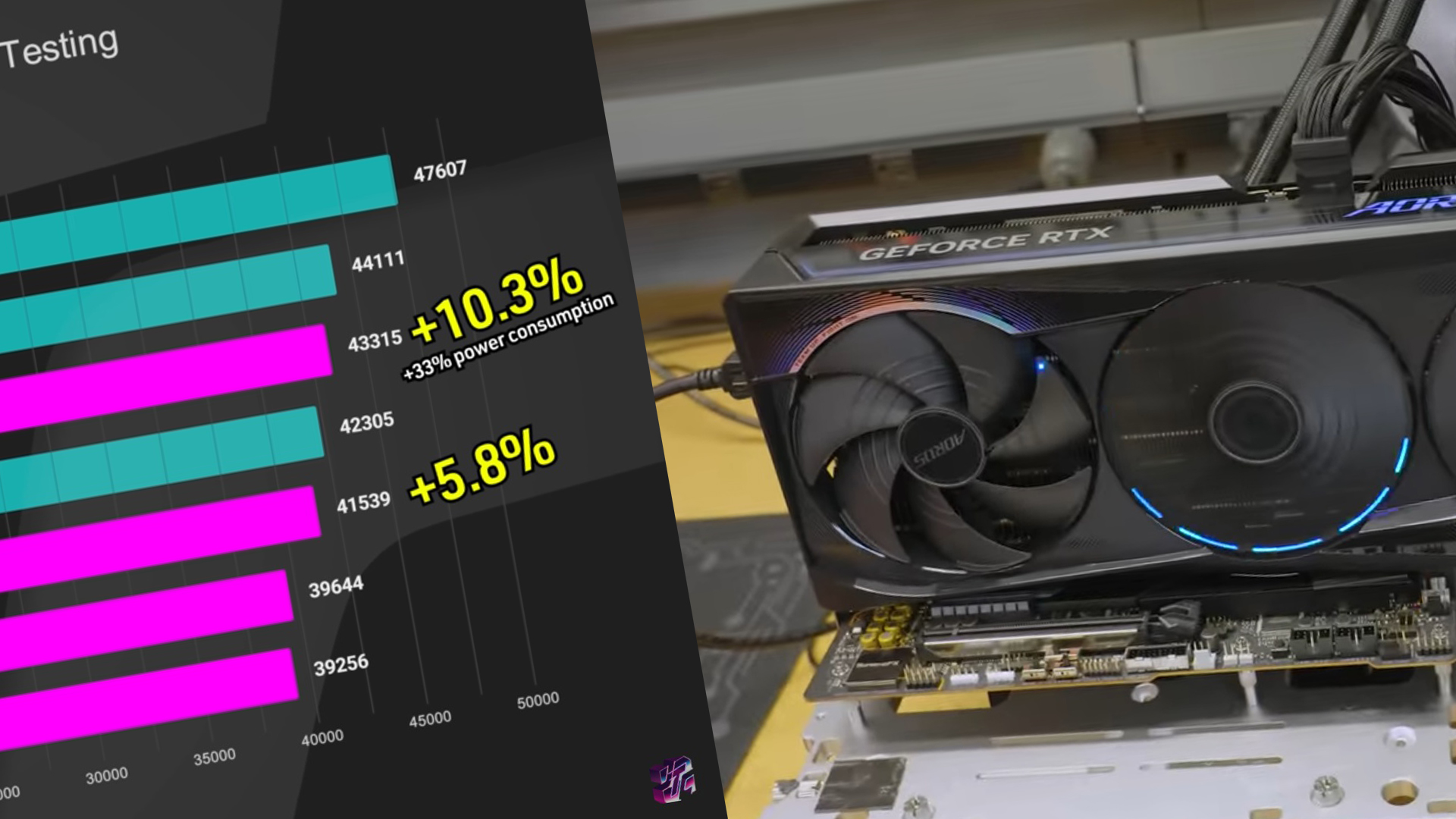
In an exciting development for tech enthusiasts, YouTuber Jayztwocents pushed the limits of the GIGABYTE RTX 5090 AORUS Master by implementing a daring BIOS flash. By using a 1000W BIOS originally designed for the ASUS ROG Astral RTX 5090, Jay demonstrated how enthusiasts can squeeze extra performance from these high-powered graphics cards.
Although the default TDP for the GeForce RTX 5090 is 600W, some creative overclocking and a custom BIOS can ramp this up to over 1000W. However, BIOS options currently remain limited, mainly available for the GeForce RTX 5090 D, a rare Chinese variant that’s no longer in production.
Jay embarked on this ambitious venture by reprogramming the GIGABYTE RTX 5090 AORUS Master with the 1000W ASUS BIOS, a solution typically reserved for the ROG Astral RTX 5090. Despite the initial hurdles, like disabling the first GPU fan, he innovatively replaced it with a custom high-airflow fan setup.
Running stress tests at an intense 1600W proved challenging, necessitating a reset to the stable 1000W BIOS setting. At stock clocks, the GPU managed to pull up to 800W, but only delivered marginal performance gains. However, with strategic overclocking, Jay coaxed out a remarkable 10.3% improvement in 3DMark Port Royal scores, earning him a spot among the top 100 global rankings.
The experiment revealed that increasing power limits isn’t a guaranteed path to significantly higher performance, as the BIOS doesn’t automatically boost core and memory clock speeds. Equipped with an air conditioning unit for optimal cooling, the GIGABYTE RTX 5090 AORUS Master achieved a 10% performance boost at 900W, albeit with a 33% hike in TDP.
Interestingly, the BIOS flashed onto the Astral RTX 5090 not only worked seamlessly on the ASUS card but also handled up to 1600W with ease. The discrepancy in performance can be partly attributed to the power stage differences; the AORUS Master uses 50A power stages, whereas the Astral edition employs more robust 80A stages.
This experiment underscores the risks and rewards of GPU overclocking. While increasing power limits can unlock higher performance, it’s crucial to understand the hardware’s limits and manage the expectations for performance gains.