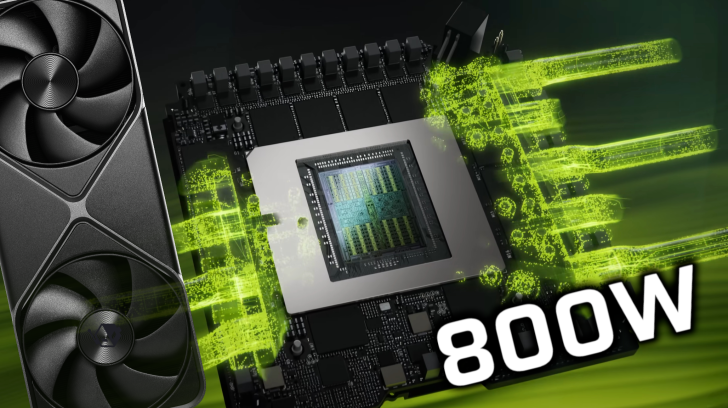
ASUS’s 800W XOC BIOS, originally built for the premium ROG Matrix GeForce RTX 5090, is unlocking serious headroom on a growing list of custom RTX 5090 cards from other board partners. Enthusiasts are reporting substantial clock boosts without resorting to shunt mods or PCB surgery, and some are seeing gains of around 100–200 MHz on core clocks once the higher power limit is in place.
What makes the Matrix BIOS special is its extreme 800W power target and the tuning that comes with it. The ROG Matrix card itself launched with a unique quad-fan design, a high-end PCB, and an 800W XOC BIOS that can push boost clocks hundreds of MHz above stock. While that flagship model carries a lofty price tag around $4000, owners of several non-Matrix RTX 5090s have managed to flash the same BIOS and tap into its extra performance.
Community reports show successful flashes on cards from multiple AIBs, including:
– Gigabyte AORUS GeForce RTX 5090 Xtreme Waterforce WB
– Gigabyte RTX 5090 Master
– Palit RTX 5090
– MSI RTX 5090 Ventus
– PNY RTX 5090 ARGB
Not every model plays nicely, though. Users have run into failures or partial functionality on cards such as ASUS Astral Air/LC, ASUS TUF, and MSI Suprim Liquid, among others.
Why some RTX 5090s work and others don’t appears to come down to fan control channels. The Matrix PCB exposes three separate fan headers. Cards that also have three fan headers tend to run the Matrix BIOS without issues. Cards with only two fan headers often fail or lose a fan channel because the BIOS expects three independent controls that the hardware can’t provide. This also explains why certain water-cooling oriented BIOSes, which are designed around fewer fan channels, can be compatible where others are not.
Early performance impressions are encouraging. One user shared results showing that swapping to the 800W BIOS allowed higher sustained clocks with similar slider overclocks, at the cost of noticeably higher power draw. In demanding titles like Cyberpunk 2077 at 4K with path tracing, DLSS, and frame generation, the extra headroom helps the GPU maintain elevated boost frequencies more consistently. The trade-off is clear: more power, more heat, and potentially more noise, depending on your cooling setup.
A word of caution is essential here. Pushing up to an 800W limit places tremendous strain on your power delivery, including the 16-pin power connector that has already drawn scrutiny on high-end RTX 40- and 50-series cards. Make sure your PSU is top-tier, cabling is impeccable, case airflow is robust, and thermals are well managed. Over-volting and sustained high power draw can exacerbate any weak links in your system.
If you’re still considering a flash, proceed at your own risk. Flashing a third-party BIOS can void warranties, cause instability, or even damage hardware. Back up your original BIOS first, confirm your card’s fan header configuration, and ensure you fully understand the process before attempting anything. Enthusiasts commonly use nvflash for this task and follow a general flow like:
– Boot into Windows.
– Back up the card’s original BIOS.
– Rename the target BIOS file to something simple (for example, m.rom).
– Open Command Prompt with administrator privileges.
– Use the appropriate nvflash command for your system and tool version to flash the BIOS file.
– Reboot once the process completes and verify detection in the NVIDIA driver.
Bottom line: the ASUS 800W XOC BIOS can turn already monstrous GeForce RTX 5090 cards into even faster performers, especially for users with robust cooling and power setups. Compatibility hinges on fan header design, and the risks are real, but for seasoned overclockers chasing every last MHz, this firmware has quickly become the hottest tweak in the RTX 5090 scene.