Apple’s MacBook lineup is known for its sleek unibody aluminum design, and that solid build does a good job of handling everyday wear. Still, even a durable laptop can’t always withstand the rough-and-rush reality of airport security. One of the most common stress points for travelers is the screening area, where laptops are often placed in bins and pushed along a conveyor belt—sometimes quickly, sometimes carelessly, and occasionally with expensive consequences.
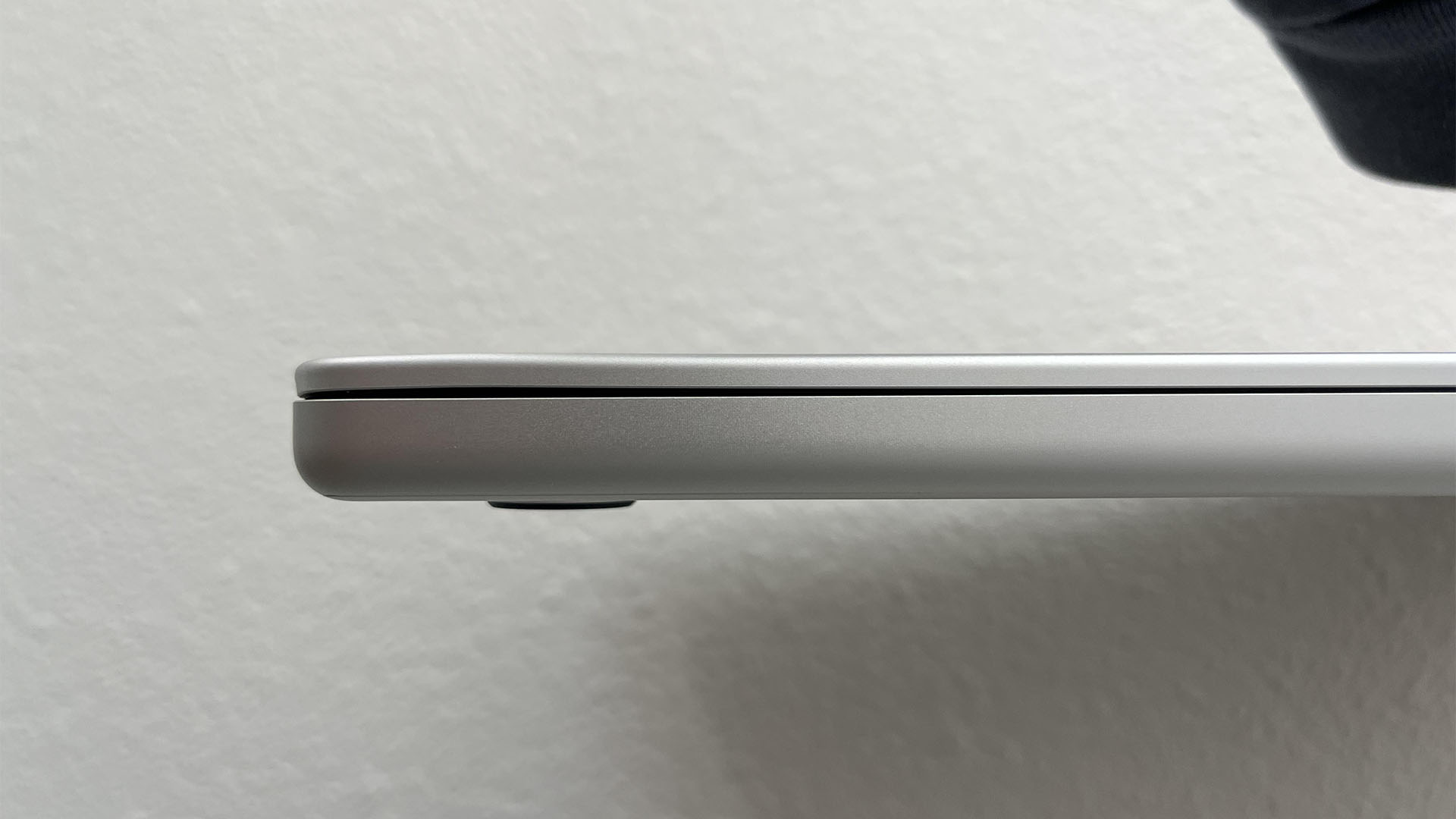
That’s exactly what one MacBook owner says happened during a recent security check. According to a post shared on Reddit, the person watched their MacBook fall off the security belt, only for staff to pick it up and hand it back without an apology or any real acknowledgment of the damage. The laptop reportedly ended up with a noticeable dent—an eyesore that’s hard to ignore on a premium machine you open and close every day.
What made the situation more frustrating, the user claims, was how quickly the incident was brushed off. In many airport screening lanes, the pace is dictated by how fast items are sent through and how quickly they’re cleared at the end. When bins pile up or the belt keeps moving, a single bump or snag can send a device tumbling. For laptops like a MacBook, a fall onto a hard surface can mean dents, scuffs, or worse.
If something similar happens to you, there may be a path to compensation. As several commenters pointed out, the Transportation Security Administration (TSA) has a process for filing claims related to property that is lost or damaged, as well as claims related to personal injury. The key is acting quickly and documenting everything you can.
Commenters also noted that airport security areas typically have extensive camera coverage. That can work in your favor if you need to provide proof of what happened. Helpful advice shared in the discussion included noting the exact time you went through security, what lane you used, a description of yourself, where the incident occurred, and what was damaged. The idea is to provide enough detail to help investigators locate the relevant footage and confirm whether the damage occurred during screening.
For frequent flyers worried about protecting expensive electronics, one practical tip is to speak up before your device goes on the belt. You can ask the screening team if they can inspect your bag without placing the laptop into a bin, explaining that you’re concerned about damage. Policies and cooperation can vary by airport and lane, but politely requesting extra care may reduce the risk—especially during busy travel periods when the conveyor belt is moving fast and bins are stacking up.
Incidents like this may be uncommon, but they’re a reminder that even “routine” travel steps can be risky for high-value gear. MacBooks remain costly investments, and a dent or impact mark isn’t just cosmetic—it’s a daily reminder of an avoidable moment of haste. If your laptop is damaged at airport security, gathering details immediately and pursuing the proper claim process could be the difference between being stuck with the repair bill and getting compensated.