Acer Laptop Owner Claims Warranty Repair Replaced Liquid Metal With Standard Thermal Paste, Causing Severe CPU Throttling
A laptop owner on Reddit claims his Acer gaming laptop returned from warranty service with worse thermal behavior than before, raising concerns about how high-performance laptops are handled during repairs.
According to the Reddit user, the laptop was originally sent in for RMA because the CPU was overheating. Since the machine was still under warranty, the owner expected Acer to address the cooling issue properly. Instead, he says the repair did not improve temperatures and may have made the situation worse.
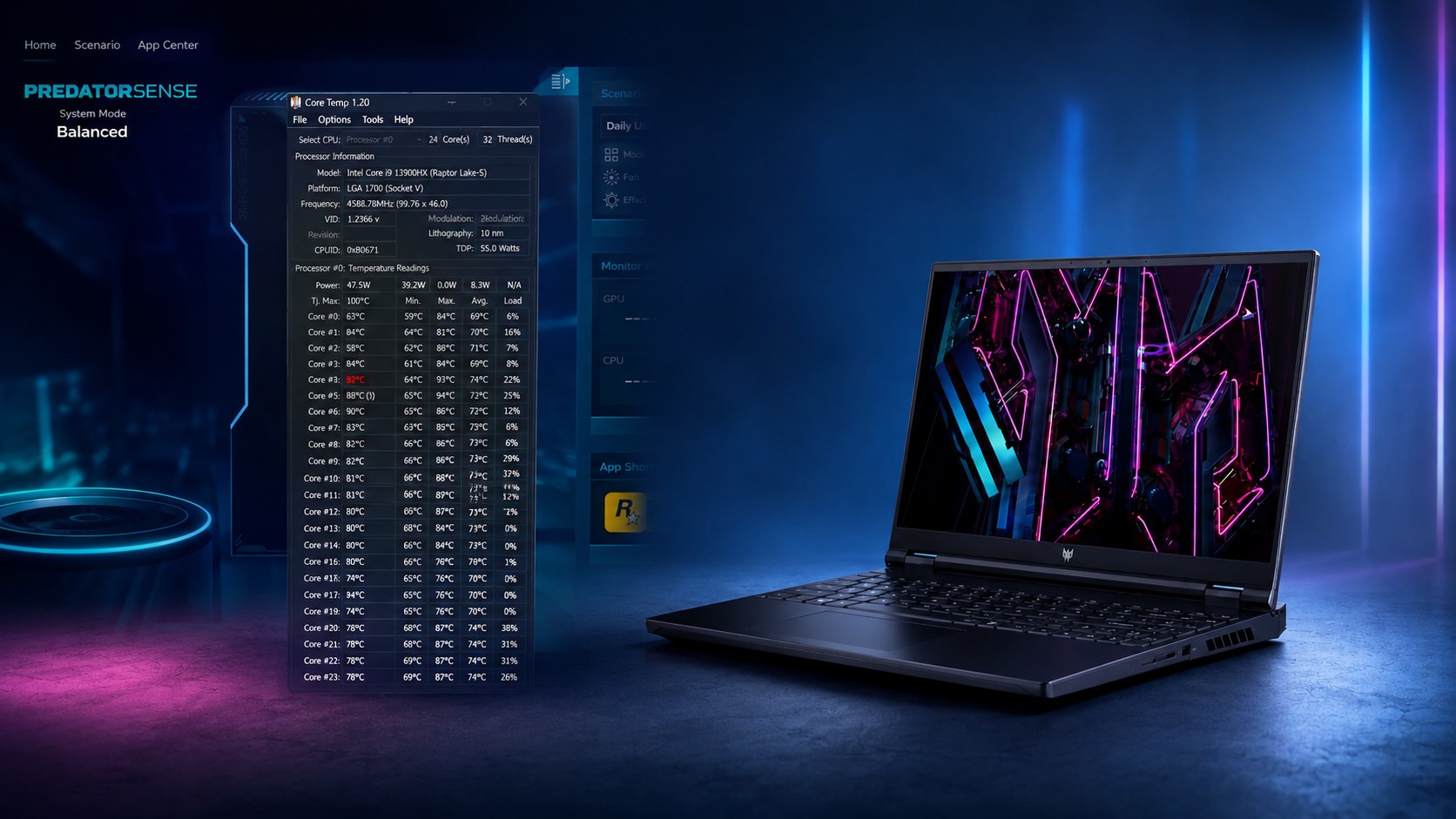
The laptop in question is powered by Intel’s Core i9-13900HX, a powerful Raptor Lake mobile processor with 24 cores and 32 threads. This chip is designed for high-end gaming laptops and workstation-class portable machines, but it also produces a lot of heat under load. Because of that, proper cooling is essential, especially in thin or performance-focused laptop designs.
The Redditor claims the laptop originally used liquid metal on the CPU from the factory. Liquid metal is commonly used in some premium gaming laptops because it offers better thermal conductivity than traditional thermal paste. When applied correctly, it can help lower temperatures and improve sustained performance.
However, after receiving the laptop back from service, the user says Acer replaced the liquid metal with Arctic MX-4 thermal paste. While MX-4 is a respected conventional thermal compound for many desktop and laptop repairs, it generally cannot match the thermal performance of liquid metal in systems designed around it. For a demanding processor like the Core i9-13900HX, that difference can be significant.
The user reports that after the repair, the CPU continued to thermal throttle, even during lighter workloads. In gaming and general use, temperatures allegedly climbed as high as 102°C. Thermal throttling occurs when a processor becomes too hot and automatically reduces clock speeds to protect itself from damage. This can lead to lower frame rates, stuttering, reduced responsiveness, and inconsistent performance.
In a video shared by the owner, opening Acer’s PredatorSense software appears to cause certain CPU cores to spike almost immediately. Cores 4 and 5 reportedly jump above 90°C, while other cores remain in the 80°C range. Core 4 seems to be the hottest, repeatedly reaching 90°C or higher whenever an application is launched.
The owner says he attempted several temporary fixes, including cleaning the laptop, adjusting custom fan curves in PredatorSense, and disabling Turbo mode. While these steps may help reduce temperatures in the short term, they do not solve the underlying cooling issue if the thermal interface material was improperly replaced or if the heatsink contact is uneven.
For a high-end gaming laptop, especially one using an Intel Core i9 HX-series processor, proper thermal application is critical. Liquid metal must be applied carefully, and replacing it with standard thermal paste may not deliver the performance the cooling system was designed to provide. If the laptop shipped with liquid metal from the factory, many users would expect warranty service to restore it to the same condition rather than switch to a different material.
The case highlights a common concern among gaming laptop owners: warranty repairs can sometimes introduce new problems if service centers do not follow the original thermal design. Modern flagship CPUs and GPUs run hot, and even small changes in thermal paste quality, application thickness, heatsink mounting pressure, or fan behavior can have a major impact on performance.
At this point, the most practical option for the owner may be to send the laptop back for another repair and request that the original cooling configuration be restored. If the laptop was advertised or sold with liquid metal cooling, users may reasonably expect the same solution to be used during official service.
This situation also serves as a reminder for laptop owners to document their system’s condition before sending it in for warranty repair. Recording temperatures, performance results, photos, and service details can make it easier to prove whether a repair actually fixed the issue or introduced a new one.