Liquid Metal Cooling in Gaming Laptops May Lose Its Edge Over Time, New Long-Term Test Shows
Liquid metal has become a popular thermal solution in gaming laptops, high-end GPUs, and other performance-focused hardware. It is widely used because it can transfer heat more efficiently than traditional thermal paste, helping powerful chips run cooler under heavy loads.
However, a long-term test suggests that liquid metal may not be the perfect “apply it once and forget it” cooling solution many users hope for. After two years of observation, overclocker and hardware enthusiast der8auer has shown how liquid metal reacts with different metals commonly used in heatsinks, including aluminum, copper, and nickel. The results reveal that while liquid metal can deliver impressive short-term thermal performance, it may also cause material changes that can reduce cooling efficiency over time.
Why liquid metal is used in high-performance hardware
Modern GPUs and CPUs are becoming more power-dense with each generation. As chips get faster and more compact, they produce more heat in a smaller area. This is especially true for gaming laptops, where cooling space is limited and manufacturers need every advantage they can get.
Liquid metal, often based on gallium, offers much better thermal conductivity than standard thermal paste. This allows heat to move more quickly from the chip to the heatsink, which can help reduce temperatures and improve sustained performance.
That is why many premium gaming laptops and high-end graphics cards have adopted liquid metal as a thermal interface material. But its strong cooling ability comes with drawbacks.
Liquid metal reacts aggressively with aluminum
One of the biggest warnings about liquid metal is that it should never be used with aluminum heatsinks. The recent test makes it easy to see why.
When gallium-based liquid metal touches aluminum, it can begin attacking the metal surprisingly quickly. In the test, the liquid metal started breaking down the aluminum structure in around 30 minutes.
This happens because of a process known as grain boundary diffusion. In simple terms, gallium seeps into the microscopic boundaries inside the aluminum, weakening the structure from within. The result is that aluminum can become brittle and damaged, making it unsuitable for use with liquid metal.
For anyone considering a liquid metal application, this is one of the most important rules: avoid aluminum contact at all costs.
Copper handles liquid metal better, but not perfectly
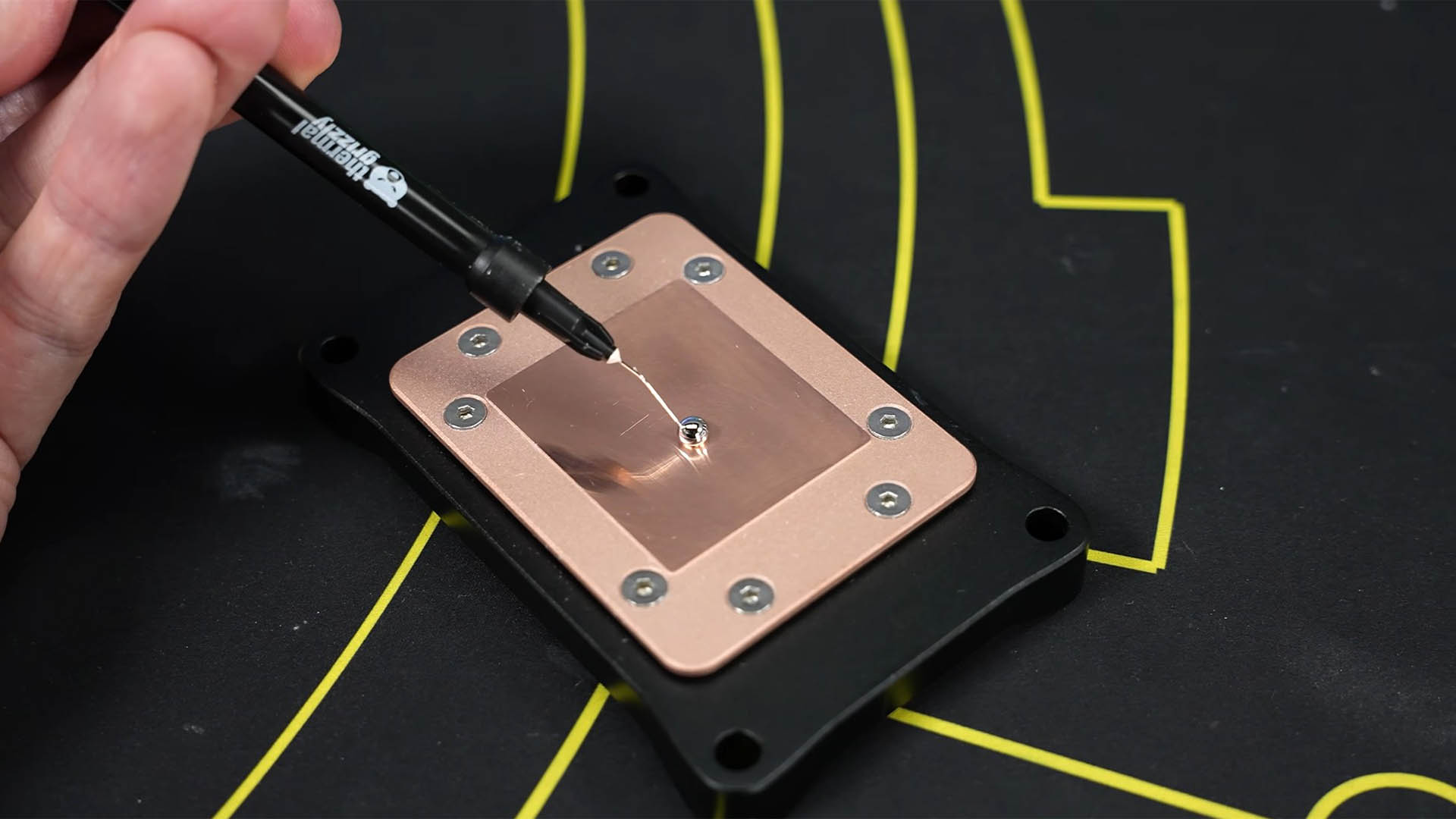
Copper is far more suitable for liquid metal than aluminum, which is why many heatsinks use copper cold plates or copper heat pipes. But the test shows that copper is not immune to long-term effects.
When liquid metal is applied to copper, it does not destroy the structure in the same way it does with aluminum. Instead, the gallium reacts with the copper surface and forms a new layer. This layer is a mixture of the two materials, and it has worse thermal conductivity than pure copper.
Over time, visible crystal-like formations can appear on the surface. While they may look interesting, they are not a good sign for cooling performance. The altered surface can reduce the efficiency of heat transfer, meaning the initial thermal advantage of liquid metal may slowly decline.
This is especially important for gaming laptop owners who expect their system to maintain peak cooling performance for several years without maintenance.
Nickel offers the best resistance, but it is not immune
Nickel-plated copper is often used as a safer surface for liquid metal. Compared with aluminum and bare copper, nickel resists gallium reactions much better.
That said, nickel is not completely unaffected. The chemical process still happens, but at a much slower rate. A nickel-coated copper heatsink can help extend the useful life of a liquid metal application, but it does not completely eliminate long-term changes.
This is why many manufacturers and enthusiasts prefer nickel-plated surfaces when using liquid metal, especially in premium laptops and GPU cooling solutions.
Liquid metal’s biggest strength is also its weakness
The same chemical behavior that makes liquid metal so effective is also what creates long-term concerns. Unlike regular thermal paste, liquid metal does more than simply fill tiny gaps between the chip and the cooler. It reacts with the surface, reducing thermal resistance and improving heat transfer.
That reaction is part of the reason liquid metal can outperform traditional thermal compounds. But it also means the contact surface can change over time, potentially leading to weaker performance if the liquid metal is not maintained or replaced.
For enthusiasts who regularly service their hardware, this may not be a major issue. Reapplying liquid metal every year or so can help maintain strong thermal performance. But for everyday users who want a low-maintenance gaming laptop or PC, liquid metal may not be the most convenient option.
The risks of liquid metal cooling
Liquid metal has several well-known disadvantages beyond long-term metal reactions. It is electrically conductive, so a poor application can damage components if it leaks onto the motherboard or nearby circuitry. It is also harder to apply than standard thermal paste and often requires careful masking, controlled amounts, and experience.
Because of this, liquid metal is best suited for advanced users, professional technicians, or factory-applied cooling systems with proper safeguards.
For casual users, the performance gains may not always justify the extra risk and maintenance.
A safer alternative: PTM7950 thermal pad
For users who want strong cooling performance without the complications of liquid metal, PTM7950 has become a popular alternative. It is a phase-change thermal material that comes in pad form, making it easier to apply than liquid metal.
Unlike liquid metal, PTM7950 is not electrically conductive and does not carry the same risk of damaging components through leakage. It also avoids the aggressive chemical reactions seen with gallium-based thermal compounds.
Its performance may not always match liquid metal in ideal conditions, but it can still deliver excellent results, especially in laptops and compact systems. For many users, the balance of safety, durability, and thermal performance makes it a more practical choice.
Should you use liquid metal in your gaming laptop or PC?
Liquid metal remains one of the best-performing thermal interface materials available, especially for high-power CPUs and GPUs. If maximum cooling is your goal and you are comfortable with regular maintenance, it can be an excellent option.
However, it is not the best solution for everyone. Long-term testing shows that liquid metal can react with heatsink materials over time, especially aluminum and copper. Even nickel-plated surfaces are not completely immune, though they offer better resistance.
If you want the lowest temperatures and do not mind servicing your system periodically, liquid metal can still make sense. But if you prefer reliability, easier installation, and peace of mind, a high-quality thermal paste or phase-change pad like PTM7950 may be the smarter choice.
In short, liquid metal delivers impressive cooling, but it comes with trade-offs. For high-performance gaming laptops and compact PCs, choosing the right thermal material is not just about peak temperatures. It is also about long-term stability, safety, and how much maintenance you are willing to do.