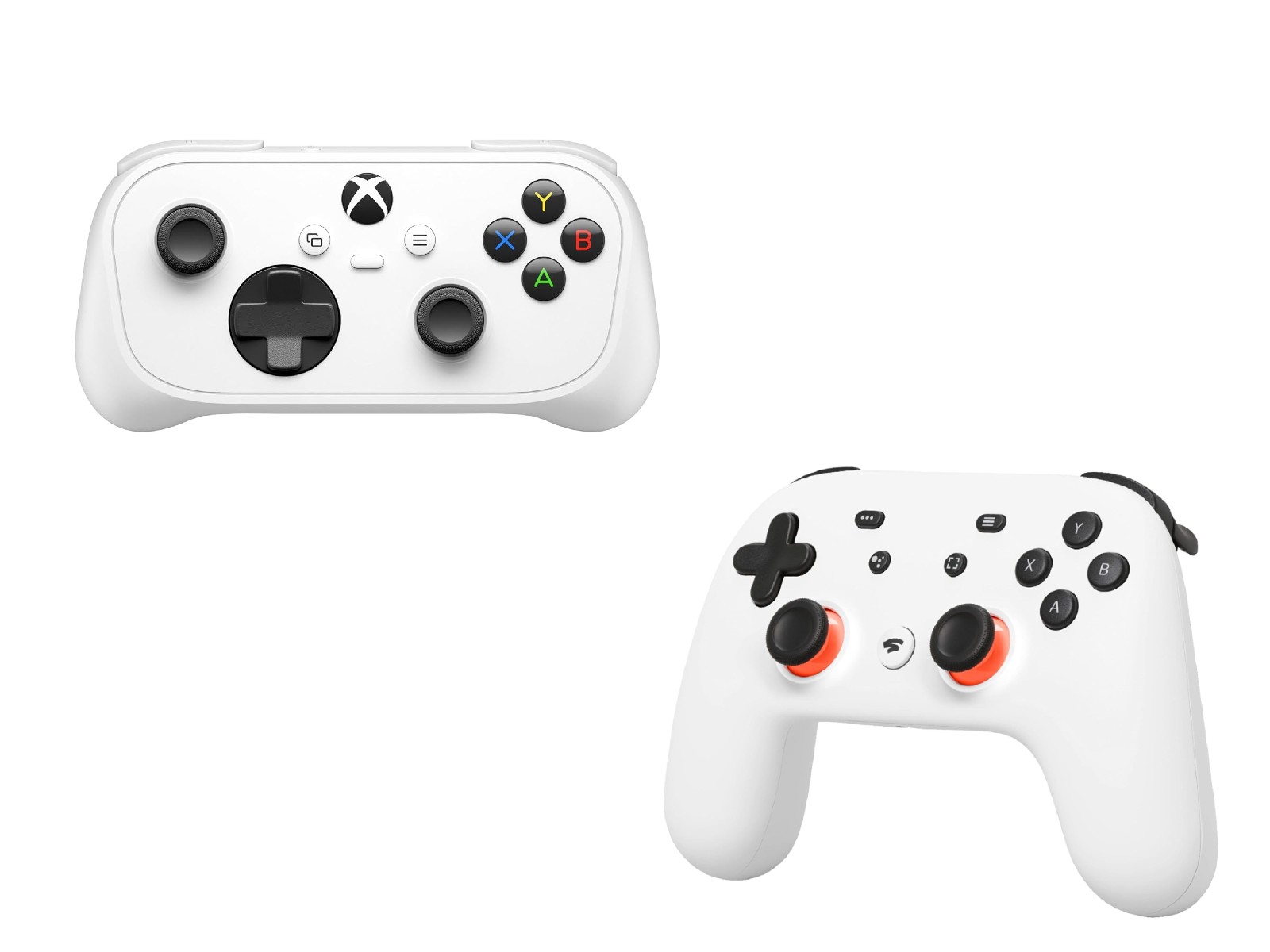
Xbox Nano Controller Adds Wi-Fi Cloud Gaming Feature to Reduce Input Lag
Microsoft’s compact Xbox Nano Controller is getting a cloud gaming upgrade that could make a noticeable difference for players who stream games. The newly released $50 controller now supports a beta feature called Cloud Connect, allowing it to connect directly to a Wi-Fi network when used with Xbox Cloud Gaming.
The goal is simple: lower input latency. Instead of sending commands through Bluetooth to a phone, TV, or PC, the controller can communicate over Wi-Fi during cloud gaming sessions. For players, that could mean faster response times and a smoother experience, especially in games where quick reactions matter.
The feature may sound familiar to longtime cloud gaming fans. Google’s discontinued Stadia Controller used a similar Wi-Fi-based connection method for its game streaming service. After Stadia shut down, Google later enabled Bluetooth support for that controller so owners could continue using it with other devices. Microsoft is now bringing a similar low-latency idea to its own cloud gaming ecosystem through the Xbox Nano Controller.
The Xbox Nano Controller is a smaller version of the standard Xbox Wireless Controller. It works with Xbox consoles, Windows PCs, iPhones, iPads, Android devices, compatible smart TVs, and select streaming platforms. For Xbox consoles, it uses Microsoft’s wireless connection technology, while Bluetooth remains available for phones, tablets, PCs, and other supported devices.
Cloud Connect is different because it is designed specifically for Xbox Cloud Gaming. When enabled, the controller connects to Wi-Fi instead of relying on Bluetooth, helping reduce the delay between pressing a button and seeing the action happen on screen.
However, the feature is still in early testing, so availability is limited. Microsoft says Cloud Connect does not yet work with every cloud gaming setup. At launch, it is available only in the United States and currently supports select smart TVs and web-based Xbox Cloud Gaming sessions.
Setting it up requires a few steps. Android users need the Xbox beta app, while PC users must use the Xbox Accessories app. Microsoft also says PC setup requires enrollment in the Xbox Insider program.
Once setup begins, the app guides users through connecting the Xbox Nano Controller to a Wi-Fi network. After the controller is successfully connected, its button light will display a heartbeat-style pattern. Players then need to launch Xbox Cloud Gaming and sign in with the same Xbox account used during setup.
The Wi-Fi cloud gaming feature is expected to work with supported Xbox Cloud Gaming experiences, including the Xbox app on compatible LG TVs, Vidaa OS smart TVs, Fire TV devices, and Meta Quest headsets.
For cloud gaming fans, the Xbox Nano Controller’s Cloud Connect feature could become one of its most useful advantages. Bluetooth is convenient, but even small delays can be frustrating in fast-paced games. By giving the controller a direct Wi-Fi connection for streaming, Microsoft is clearly trying to make Xbox Cloud Gaming feel more responsive and console-like.
Since the feature is still in beta, performance and compatibility may improve over time. If Microsoft expands Cloud Connect to more regions and devices, the Xbox Nano Controller could become a strong choice for players who regularly stream Xbox games across TVs, mobile devices, PCs, and VR headsets.