Samsung recently unveiled its One UI 6.1 software update, first debuting on the Galaxy S24, Galaxy S24+, and Galaxy S24 Ultra phones. Despite initial perceptions that this might be a small step from One UI 6.0, Samsung has packed the new iteration with a plethora of AI enhancements and deeper customization options.
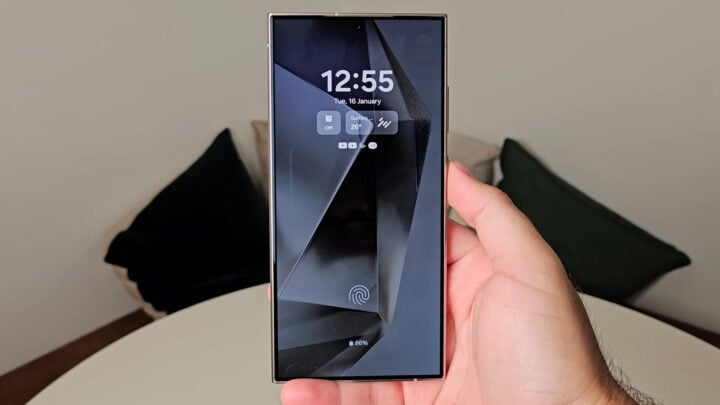
One of the standout features of One UI 6.1 is its vastly improved lock screen clock widget customization. Where its predecessor introduced more fonts, placements, and sizing options, One UI 6.1 dramatically expands user choice by embracing unlimited font support. This means that any font available in the Galaxy Store can now be applied to the lock screen clock, offering unparalleled personalization.
This has been demonstrated by Ice Universe, a well-known tipster in the mobile tech world, in a short video that guides users on how to take advantage of the new font options using One UI 6.1. The video, available on Twitter, showcases the simplicity and flexibility of the customization process.
Beyond the extensive font selection, One UI 6.1 also parallels certain iOS design concepts by introducing lock screen widgets. This new suite of utilities includes a calendar for scheduling, an alarm clock widget, reminders for daily tasks, a Samsung Health activity tracker, system status for battery life, and a comprehensive weather widget, detailing air quality, chances of rain, current temperatures, lunar phases, sunrise and sunset times, as well as UV index.
These widgets promise to enhance user interactions with their phones, granting immediate access to critical information without the need to unlock their devices. What’s more, Samsung has also integrated the option to keep its Always on Display (AoD) mode active, enriched with these widgets, serving both function and aesthetic purposes.
Although the full arsenal of One UI 6.1 features shines on the Galaxy S24 series, Samsung has plans to extend some of these features to existing Galaxy devices. However, a gentle reminder for enthusiasts: not all features seen on the Galaxy S24’s version of One UI 6.1 will necessarily transfer to older or existing models. This differentiation will likely depend on hardware compatibility and other model-specific factors.
For those eager to see more about what One UI 6.1 has to offer and how it may enhance the Samsung mobile experience, there is an in-depth video available on YouTube detailing the new features.
It certainly seems that with One UI 6.1, Samsung is intensifying its efforts to provide users with a highly tailored and user-centric interface, setting a new standard for mobile device customization. The Galaxy S24 series thus not only represents the latest in hardware advancements but also serves as the vanguard for Samsung’s software innovation.


