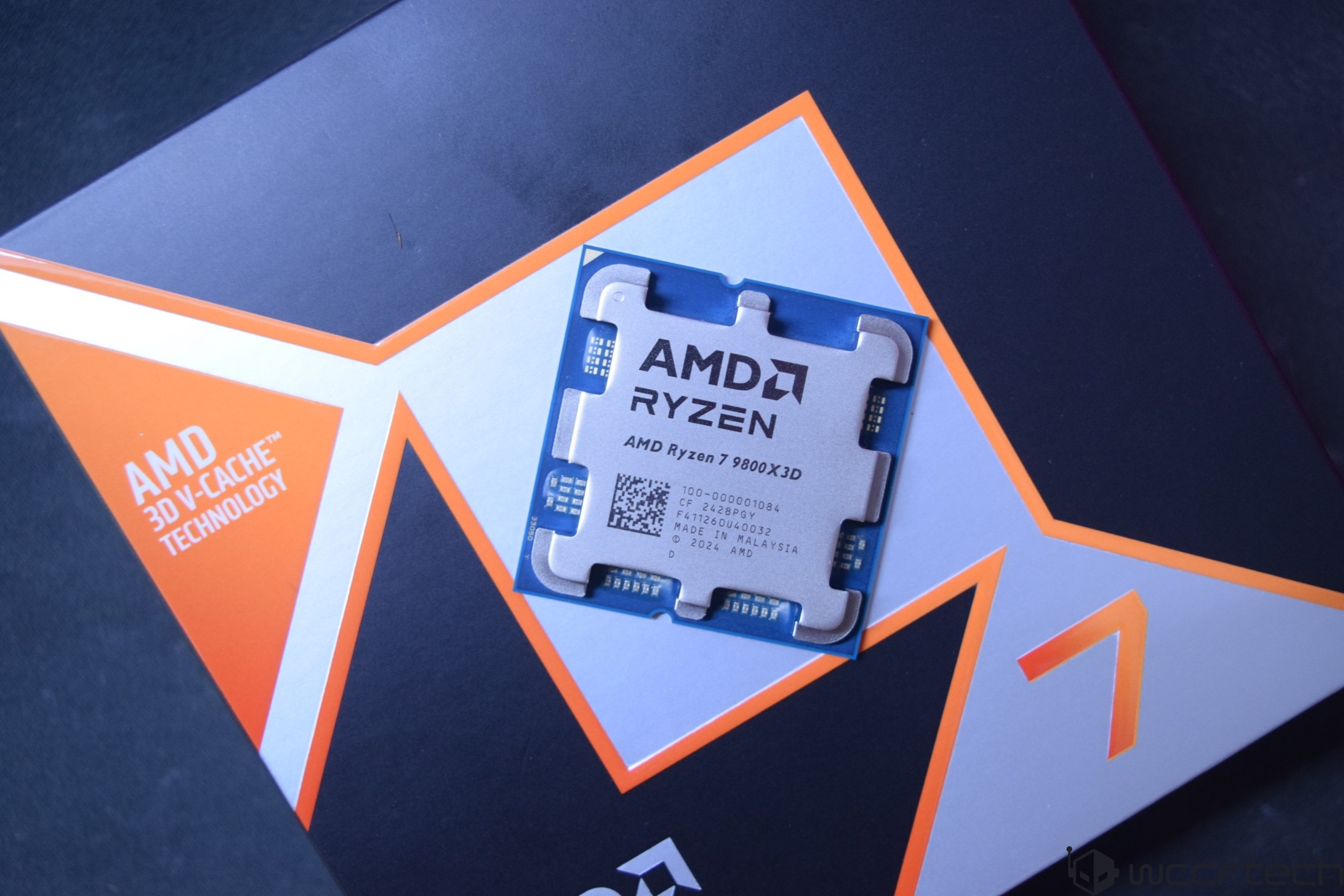
The AMD Ryzen 7 9800X3D is truly a powerhouse in the realm of gaming performance, and while benchmarks speak for themselves, maximizing its potential goes beyond just running tests. To truly get the most out of this phenomenal CPU, pairing it with a robust motherboard that can handle its capabilities is key. While overclocking might not be essential for everyone, understanding that the Ryzen 7 9800X3D thrives on stable power and efficient power delivery is crucial for maintaining those desirable high clock speeds.
Forget about splurging on overpriced motherboards—the beauty of the Ryzen 7 9800X3D is that you can push its boundaries without breaking the bank. Even if your budget ranges from $200 to $500, there are excellent AMD motherboards available that can deliver amazing performance and thermals. Let’s take a sneak peek into some strong contenders:
1. **ASUS ROG Strix X670E-E Gaming**: A top-notch option featuring an 18+2 power stage design, perfect for those who dream of power-packed gaming.
2. **MSI MAG X670E Tomahawk WiFi**: This budget-friendly choice is ready to support your AMD Ryzen 9000, 8000, or 7000 series chips without compromising on quality.
3. **GIGABYTE X870E AORUS PRO ICE**: Comes with comprehensive features like PCIe 5.0, USB4, and WiFi7, ensuring futuristic connectivity.
4. **ASRock B650E PG Riptide WiFi**: A simple yet efficient pick for those seeking stability without frills.
5. **MSI MPG X870E Carbon WiFi**: Offers a balance of power and features, perfect for high-end gaming rigs.
When shopping for the right motherboard for your Ryzen 7 9800X3D, keep these key considerations in mind:
– **Overclocking Support**: To leverage the full potential of this chip, ensure your motherboard is equipped with robust VRMs and sufficient cooling features.
– **Cooling Capacity**: Look for models with large heatsinks and ample fan headers to handle any heat your setup might generate.
– **Onboard Features**: Debug LEDs, EZ DIY design, and plenty of connectivity options should not be overlooked; they can greatly simplify your life if you face technical hurdles.
– **Budget**: Define your spending limits, keeping in mind that while a high-end motherboard offers enhancements, the difference in gaming performance might be slight compared to a more affordable option.
For the best overall choice, consider the ASRock X870E Taichi. This motherboard stands out with its incredible VRM performance and cooling capabilities, making it a leading option for both stock and overclocked settings. It’s a great pick for high-end gaming builds, ensuring not just optimal performance but also stability and reliability.
Alternatively, the ASUS ROG Strix X670E-E is a viable option if you’re seeking a quality piece from a previous generation with enduring capabilities. Its strength lies in being able to handle high demands, making it an excellent choice for those not chasing the very latest tech but still wanting exceptional performance.
In conclusion, the right motherboard can unlock the Ryzen 7 9800X3D’s full potential, making your gaming experience smoother and more exciting. Choosing wisely can help ensure you’re getting the most out of your gaming setup, without unnecessarily high expenses.When exploring the competitive world of high-end motherboards for your gaming rig, the ASUS ROG X670E-E stands out as a worthy contender, especially if you’re planning to unleash the full potential of the Ryzen 7 9800X3D processor. This board is a more cost-effective alternative to the slightly superior X870E-E, saving you around $60 while still offering a robust set of features.
The ROG X670E-E boasts a powerful VRM configuration with 22 power phases, ensuring excellent power delivery and impressive overclocking capabilities. It also comes well-equipped with a variety of connectivity options, including 2.5G LAN, WiFi 6E, and Bluetooth 5.2. For storage, it includes four M.2 slots and six SATA ports—ample for most setups.
A standout aspect of this board is its impressive rear I/O, which houses a plethora of ports, including a whopping 12 USB 3.2 Gen 2 ports, complemented by a USB 3.2 Gen2x2 Type C port for high-bandwidth needs. Front panel headers add further expansion potential with options like the Thunderbolt 4 port, making this motherboard an exceptional choice for those who value connectivity.
If you’re eying an even more formidable motherboard, the MSI MPG X870E Carbon WiFi is a solid choice for users who refuse to compromise, especially in the connectivity department. This board showcases unrivaled features like dual LAN ports and offers cutting-edge technology with WiFi 7 and Bluetooth 5.4.
What sets the MPG X870E Carbon WiFi apart is its astounding 22 USB ports spread between the rear I/O and front panel headers, catering to even the most port-hungry setups. Its design doesn’t fall short either, with elegant heatsinks and customizable RGB lighting that add a touch of flair to your system.
However, if you’re looking for something that strikes a balance between quality and cost, the Gigabyte X870E Aorus Pro ICE presents itself as a versatile mid-range option. This motherboard doesn’t skimp on features, offering a well-thought-out EZ DIY design, excellent memory support, and a unique aesthetic appeal with its brushed aluminum heatsinks.
For budget-conscious enthusiasts, the MSI MAG X670E Tomahawk WiFi offers a robust solution with native PCI-E Gen 5.0 support, great for mid-range builds without the high price tag. It may not boast some of the cutting-edge features of newer chipsets, but it’s a reliable choice with solid overclocking capabilities and essential connectivity options like WiFi 6E.
For entry-level users focused on function over form, the ASRock B650E PG Riptide WiFi is an excellent pick. It’s designed to deliver the best performance per dollar, perfect for those who aren’t seeking advanced overclocking or the latest connectivity features.
In conclusion, whether you’re building a high-performance gaming setup, seeking unbeatable connectivity, or simply looking for an affordable yet powerful motherboard, there’s something in this lineup to match your needs. Each model offers a unique set of features tailored to different priorities, ensuring a great fit for every kind of PC enthusiast.If you’re in the market for a cost-effective motherboard that can still deliver impressive gaming performance, the Ryzen X3D processors offer an excellent choice. Among the contenders is the B650E PG Riptide WiFi, notable for its affordability, hovering around the $200 mark. While it may not be the absolute cheapest, it strikes a balance between cost and capability, especially if you’re looking to maximize your frames per second without breaking the bank.
The B650E chipset shines in terms of modern compatibility, providing native PCI-E 5.0 support which is significant for both GPU and M.2 storage. While there are many options within the B650E lineup, this particular model stands out for those wishing to keep expenses low while unleashing the full power of the 9800X3D.
True, you won’t find top-tier VRMs or extensive onboard features, and its thermal performance may not break any records. However, for the average PC user, these specs are more than adequate. By choosing the B650E Riptide Wi-Fi, you’re making a strategic decision—saving money that can instead be spent on more critical components like a superior GPU or additional RAM, both of which will significantly influence your gaming experience more than a pricier motherboard would.
**Frequently Asked Questions**
**Is it necessary to get an X870/X870E chipset for AMD Ryzen 7 9800X3D?**
Not at all. Achieving top performance with the 9800X3D doesn’t necessitate an X870 or X870E chipset. The X670/X670E motherboards are perfectly capable, and unless you’re specifically after features like WiFi 7, Bluetooth 5.4, or some enhanced design elements, there’s little need to invest in the latest chipset.
**Is a high-end AM5 motherboard worth it for overclocking the Ryzen 7 9800X3D?**
It truly depends on your goals for the 9800X3D. If pushing it to its limits in terms of clock speed is your priority, then high-end X670E/X870E motherboards are recommended. However, if your aim is stable performance with some overclocking flexibility, a mid-range board like the B650E should suffice.
**Do I need support for higher memory speed on AM5 motherboards?**
The situation with AM5 motherboards and DDR5 memory is a bit complex, as DDR5 can struggle to reach its potential speeds. Although motherboards across various chipsets support higher memory clocks, in reality, achieving close to these maximum speeds isn’t typical, particularly with 600-series chipsets, let alone the 800-series. Thus, aiming for the highest supported memory speed may not yield noticeable benefits.