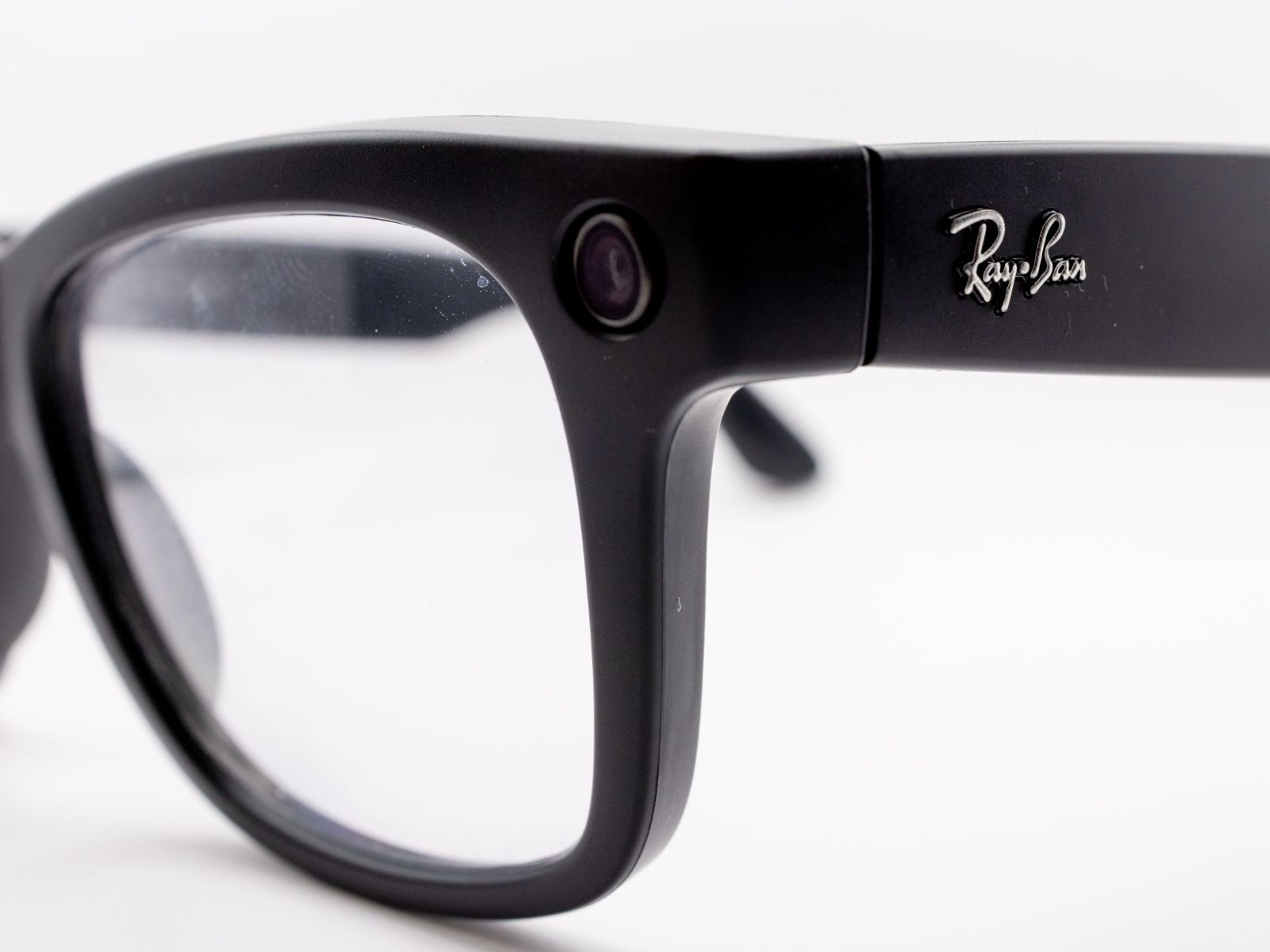
Ray-Ban Meta Glasses Privacy: How to Stop Your Images and Voice From Being Used for AI Training
Ray-Ban Meta smart glasses make it easy to ask questions about the world around you. You can look at a sign and ask what it says, point your glasses at a menu for a translation, or use Meta AI to understand what is in front of you.
But there is an important privacy detail many owners may not realize: when you ask your Ray-Ban Meta glasses about something you are looking at, the glasses can send an image to Meta. That image does not appear in your phone’s camera roll, so it may feel like nothing was captured. In reality, Meta may store that visual data and use it to improve or train its AI systems unless you turn off a specific setting.
Meta has now added a privacy control that lets users stop visual data from AI requests being stored for training. There is also a separate setting for voice recordings, although the amount of control you get depends on your region.
What Ray-Ban Meta glasses send to Meta
Meta separates images into two main categories.
The first category is regular photos and videos you intentionally capture. These are taken when you press the capture button or ask the glasses to take a photo or video. Meta says this content stays on the glasses until you import it to your phone.
The second category is visual data used by Meta AI. This is created when you ask the glasses to analyze what you are seeing. For example, if you ask your glasses to translate a menu, describe an object, read a sign, or use Live AI, the camera captures visual information so Meta AI can answer your request.
That second category is where privacy concerns come in. Meta says it can store this visual data and use it to improve its AI products unless you disable the setting.
Reports from Europe have previously raised concerns about how smart glasses footage may be handled. Workers at an outsourcing company in Nairobi reportedly labeled footage from the glasses for AI training, including highly sensitive scenes and personal information. Meta later ended the contract, stating that the vendor did not meet its standards.
How to stop Ray-Ban Meta glasses from storing visual data
Meta’s new privacy option is available in the Meta AI app. To turn it off:
Open the Meta AI app on your phone.
Go to your glasses settings.
Find the Experiences section.
Tap Meta AI.
Turn off “Store visual data from AI experiences.”
Your glasses must be out of the case and connected to your phone for the setting to appear and apply correctly. If you own more than one pair of Ray-Ban Meta glasses, you need to repeat the process for each pair.
Once the setting is disabled, Meta says visual data from AI requests will no longer be stored after your request is answered. It also says the data will not be used for AI training or made available for human review.
For example, if you ask your glasses to translate a menu, the visual data is used to answer that request and then deleted.
There is one trade-off: some features may stop working fully. Meta says visual reminders and similar AI features may be limited or unavailable when visual data storage is turned off.
It is also important to note that this setting only applies going forward. It does not automatically delete visual data that may have been processed before you changed the setting.
Voice recordings have a separate privacy setting
Turning off visual data storage does not control your voice recordings. Meta handles voice data separately, and the rules vary by country.
In the United States, Meta says text transcripts and audio recordings of voice interactions are stored by default to help improve its products. US users no longer have the same option to turn off voice storage that users in some other regions may have.
In places such as the United Kingdom and Germany, Meta’s wording is different. Users can choose whether to store voice recordings, and Meta AI can still work even when voice storage is turned off. In that case, recordings are deleted after processing.
Stored voice recordings may be kept for up to one year. Meta says trained reviewers may listen to them, although the pitch of the voice can be altered. This may include recordings from accidental activations.
If Meta detects that the wake word was triggered by mistake, the recording is supposed to be deleted within 90 days of detection.
How to review and delete voice history
If you use Ray-Ban Meta glasses, it is worth checking your voice history in the Meta AI app.
You can review stored voice interactions and delete old recordings manually. This is especially important because changing your settings does not necessarily remove older recordings. Anything saved before you changed the setting may remain until you delete it or until Meta’s retention period expires.
Some users have also reported accidental recordings after software updates, even when they did not say “Hey Meta.” Meta has said at least one such issue was resolved, but it did not publicly explain the cause in detail.
If you only use Meta AI occasionally, a safer option is to disable the wake word and activate the assistant manually using the touchpad on the glasses.
What the new privacy setting does not cover
The visual data setting only applies to images captured through AI experiences on the glasses. It does not cover everything connected to Meta’s AI systems.
For example, it does not apply to images you share with Meta AI through other apps or services. It also does not cover certain metadata, such as camera exposure details, or text descriptions generated by the AI from an image.
Public posts on Facebook and Instagram are handled under separate data policies and AI training controls.
Bystanders still have little control
One of the biggest privacy concerns with Ray-Ban Meta glasses is not just what happens to the wearer’s data. It is what happens to people nearby.
Bystanders do not have access to the wearer’s Meta AI app. They cannot change the glasses’ privacy settings, delete recordings, or stop their image from being processed if they are captured in the background.
Privacy regulators in Europe have raised concerns that the recording LED on smart glasses may not give people enough information. In some cases, the LED may not light up when the wearer is using AI features to analyze their surroundings, even though the glasses are processing visual information.
That creates a difficult situation in public spaces, workplaces, schools, public transport, restaurants, and private homes. A person may be captured by smart glasses without realizing it, and they may have no meaningful way to object.
The practical privacy checklist for Ray-Ban Meta owners
If you use Ray-Ban Meta glasses, these steps can help reduce unnecessary data sharing:
Turn off “Store visual data from AI experiences” in the Meta AI app.
Check the voice recording setting available in your region.
Review and delete old voice history manually.
Repeat privacy changes for every pair of glasses you own.
Consider turning off the “Hey Meta” wake word.
Use the touchpad to activate Meta AI only when needed.
Avoid using AI camera features around people who have not agreed to be recorded.
Take the glasses off in places where you would normally avoid using a phone camera.
Ray-Ban Meta glasses are designed to make AI feel natural and hands-free, but that convenience comes with privacy trade-offs. If you use the glasses for translation, visual search, reminders, or Live AI, it is worth taking a few minutes to adjust your settings.
The most important point is simple: asking your glasses about what you see can send an image to Meta. If you do not want those images stored or used for AI training, you need to turn that setting off yourself.