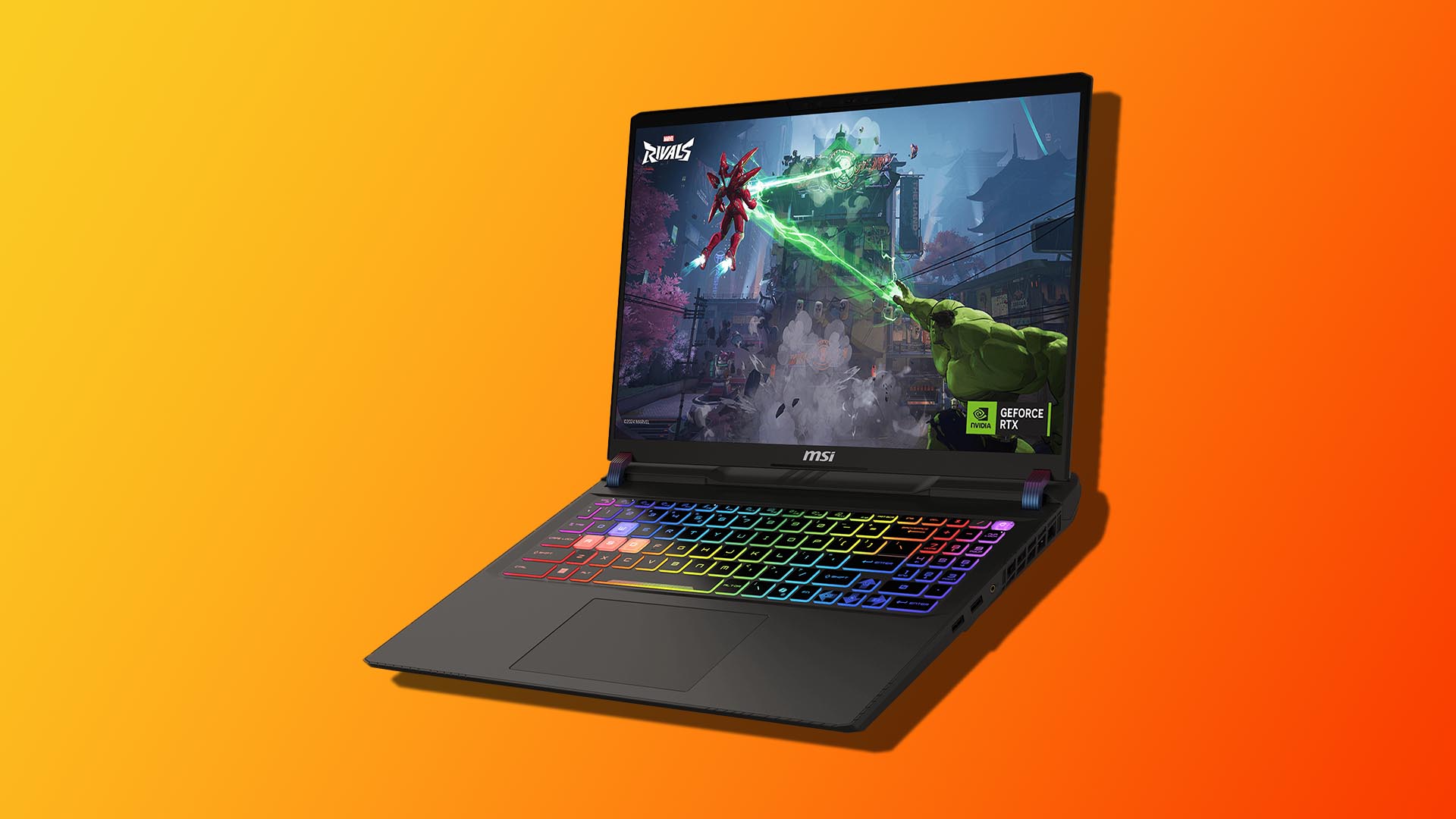
No lightning deal? No problem. The MSI Vector 16 HX AI gaming laptop is still a standout buy at $1,749, delivering serious performance for the money and ranking among the most affordable RTX 5070 Ti machines available right now. This configuration pairs a 20-core Intel Core Ultra 7-255HX with 16GB of DDR5 memory and a 512GB PCIe Gen 4 NVMe SSD. Both RAM and storage are user-upgradable, so you can expand as your library and workload grow. For modern AAA titles, the real star is the GeForce RTX 5070 Ti, which brings a major uplift in frame rates and visual fidelity.
NVIDIA equips this GPU with 12GB of ultra-fast GDDR7 VRAM, finally moving beyond the 8GB ceiling that often forced compromises in texture quality and higher-resolution assets. With DLSS and Frame Generation in your toolkit, you can push higher settings while maintaining smooth, competitive frame rates. The 16-inch display runs at 1920 x 1200 with a 144Hz refresh rate. It’s a practical sweet spot for esports and action games, balancing clarity, speed, and battery considerations without driving costs into the stratosphere.
If you’re interested, be aware that stock can be limited and popular configurations tend to sell out quickly. If you’ve been waiting for the right moment to step up to next-gen laptop gaming, this is a compelling window.
How to keep your MSI Vector 16 HX AI running cooler
High-performance laptops can get toasty fast, especially under CPU-heavy loads. If you’re seeing temps spike, try these approaches to tame the heat and reduce throttling:
– Improve airflow first: Elevate the rear of the laptop, keep vents unobstructed, and regularly clean dust from intakes and exhausts. A quality cooling pad can make a noticeable difference.
– Optimize power profiles: Use the laptop’s built-in performance modes to balance noise, power, and thermals for what you’re doing. Many titles don’t need max turbo to stay above 60–100 FPS.
– Consider undervolting the CPU: Tools like Throttlestop allow you to undervolt the Intel Core Ultra 7-255HX’s performance and efficiency domains (for example, P-cores and caches) to reduce heat and stabilize clocks. Always proceed carefully and expect some trial and error while testing for stability with stress tools such as OCCT.
– Try GPU undervolting: MSI Afterburner makes GPU voltage/frequency curve tuning more approachable, and many users find it quicker to learn than CPU undervolting. A mild undervolt can lower temperatures and fan noise while maintaining performance.
– Test, then dial in: Make one change at a time, stress test, and monitor temps and performance. Small, methodical adjustments are the safest path to cooler, quieter gaming.
Why this configuration is such good value
– Powerful, modern CPU: The 20-core Intel Core Ultra 7-255HX is built to handle everything from high-FPS gaming to heavy multitasking and content creation.
– Next-gen graphics headroom: The RTX 5070 Ti with 12GB GDDR7 VRAM is designed for today’s demanding games and tomorrow’s texture-heavy updates, with DLSS and Frame Generation boosting performance even further.
– Upgradable internals: Start strong and expand later with user-accessible RAM and PCIe Gen 4 storage.
– Fast, gamer-ready display: A 16-inch 144Hz panel at 1920 x 1200 offers fluid motion and a roomy 16:10 aspect ratio for gaming and productivity.
Bottom line: Even without an extra discount, this MSI Vector 16 HX AI build is a smart buy for anyone who wants cutting-edge laptop gaming performance without overspending. With the right thermal tweaks and a couple of future upgrades, it’s a rig you can enjoy for years.