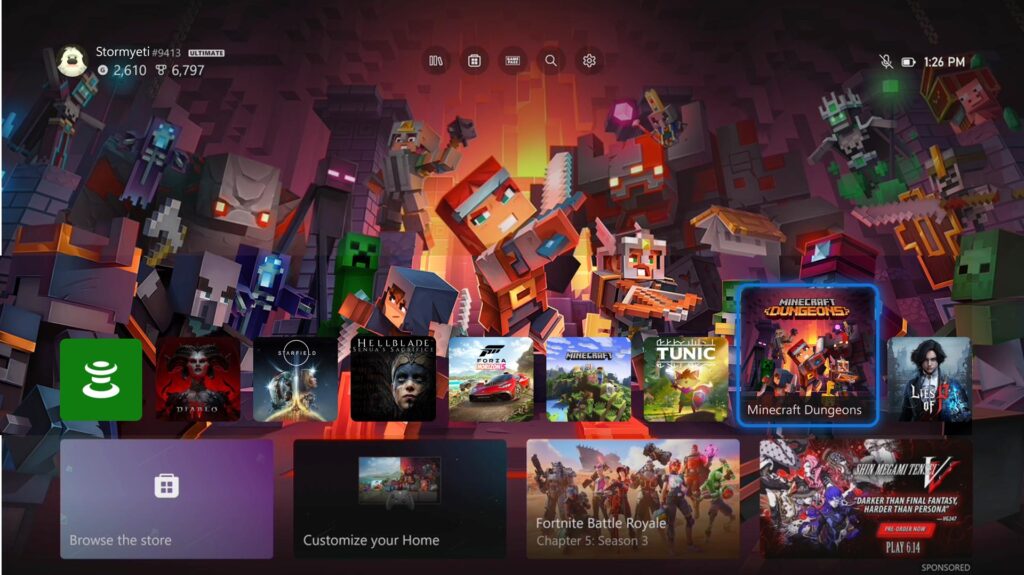
In the realm of gaming, staying connected and managing digital experiences efficiently is more important than ever. With the most recent Xbox update, players are set to enjoy a host of improvements that cater to those very needs, as Xbox continues to refine the user experience across its ecosystem, which encompasses PC, console, and cloud gaming platforms.
One of the key quality of life (QoL) updates is the prospect of saving Wi-Fi network credentials directly on the console. This may not seem like a game-changer for those who play exclusively at home on a stable network, but it marks a significant leap for users who might be on the go with their devices — a nod to future developments as Xbox teases the idea of a more portable gaming experience.
The capability to store up to 10 Wi-Fi networks ensures that switching between your primary home network and a mobile hotspot is now hassle-free. This feature is ideal for users in the event of a home internet outage or for those who frequently shift locations. No longer will there be a need to tediously re-enter passwords; your gaming can continue uninterrupted, which is critical in a gaming landscape where an internet connection is often a necessity.
Beyond connectivity, the update simplifies the way gamers interact with their various gaming subscriptions. Those subscribed to services like Game Pass, EA Play, Ubisoft Plus, and others will find the management process more streamlined, enhancing the overall user experience.
The update evidently seeks to optimize convenience, keeping gamers connected and engaged with their content and services wherever they are. For those interested in taking full advantage of these new features, here’s a guide to help you get started:
1. **Check for Updates**: Make sure your Xbox console is up-to-date with the latest firmware. This can usually be done through the ‘System’ settings under ‘Updates & downloads’.
2. **Manage Wi-Fi Networks**: Access your network settings to manage and save Wi-Fi networks. You can save multiple networks and prioritize them according to your preference.
3. **Transition Seamlessly**: Once your networks are saved, you can freely move from one location to another if you have a portable gaming setup. Your Xbox will automatically connect to the available saved networks.
4. **Subscription Management**: Navigate to your account settings to view and manage your subscriptions in one place. With the new update, checking your membership status, renewing subscriptions, or making changes should be more intuitive.
5. **Stay Informed**: Keep your eyes peeled for Xbox’s announcements on further developments, especially concerning portable gaming solutions. This could significantly impact how you utilize these new features in the future.
By following these steps, you can enhance your gaming experience to be more streamlined and less interrupted by connectivity issues or subscription management woes. Additionally, look out for any recent trends or data in gaming connectivity and subscription services for more on how to apply this information in your day-to-day gaming life.
These improvements are hoped to be just the beginning as Xbox aims to make gaming more accessible and user-friendly. Whether for the at-home console player or the gamer on-the-move, these new features could redefine what convenience means in the gaming industry.