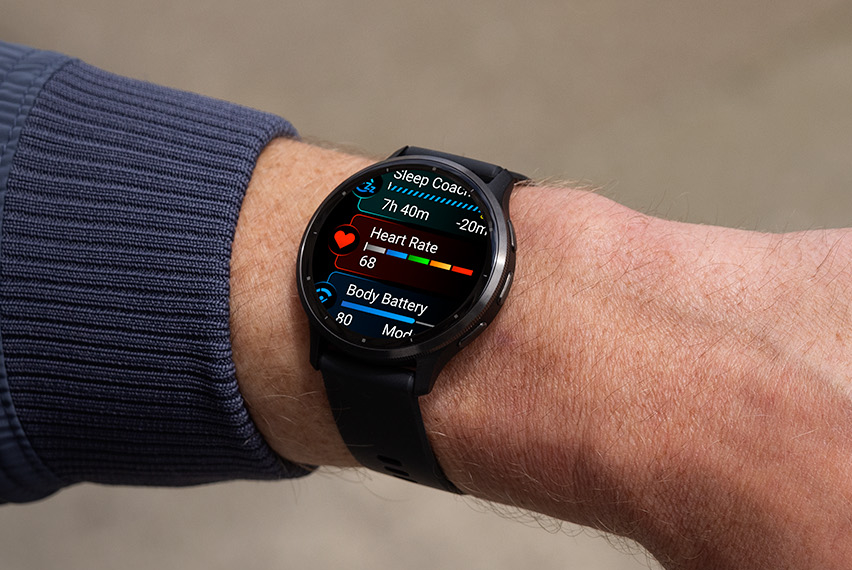
Owners of Garmin’s Venu 3 and Venu 3S smartwatches can look forward to an exciting software update that not only promises to fix existing bugs but also introduces a suite of new features. Garmin, known for its robust range of GPS and fitness-tracking devices, has announced this latest software refresh specifically for participants of its Beta Program.
In the world of smartwatches, the competition is fierce, and Garmin has been keeping pace by regularly releasing updates to enhance user experience and device functionality. The most recent stable firmware update for these models was version 9.24, which brought with it nine significant changes. These included various enhancements and fixes aimed at improving the overall performance and reliability of the devices.
The cutting-edge Beta update, labeled as Beta 9.26, follows closely on the heels of version 9.24. Although an interim Beta 9.25 was reportedly issued to some users, it wasn’t widely announced, leading to a bit of confusion within the Garmin community. With Beta 9.26, Garmin has introduced the following updates:
1. Addition of a new jump rope activity feature, catering to fitness enthusiasts looking to track this specific exercise.
2. Incorporation of support for male audio prompts, which requires downloading new audio files to access the feature.
3. A resolution to the issue where the device would spontaneously start playing music.
4. Fix for an increased battery drain experienced by some users when the wrist heart rate feature was turned off.
5. A solution to a glitch where altering a setting during a golf activity would inadvertently disable scoring.
These updates not only refine the user experience but also expand the capabilities of the Venu 3 series smartwatches. While the changelog for Beta 9.26 mirrors the improvements listed in previous 9.xx versions, the differences between this and version 9.24 remain unspecified.
For users eager to access these new updates and fixes, they are available to download through Garmin Express or directly on the smartwatches. To find the update on your watch, simply navigate to the Main menu, then Settings, followed by System, and finally, Software Update.
The latest software update reflects Garmin’s commitment to delivering quality and innovation in its products. Users enrolled in the Beta Program are often the first to try out new features and upgrades, putting them at the forefront of the Garmin experience. Staying updated with the latest firmware ensures that your device not only works flawlessly but also offers you the latest features that Garmin has to offer.