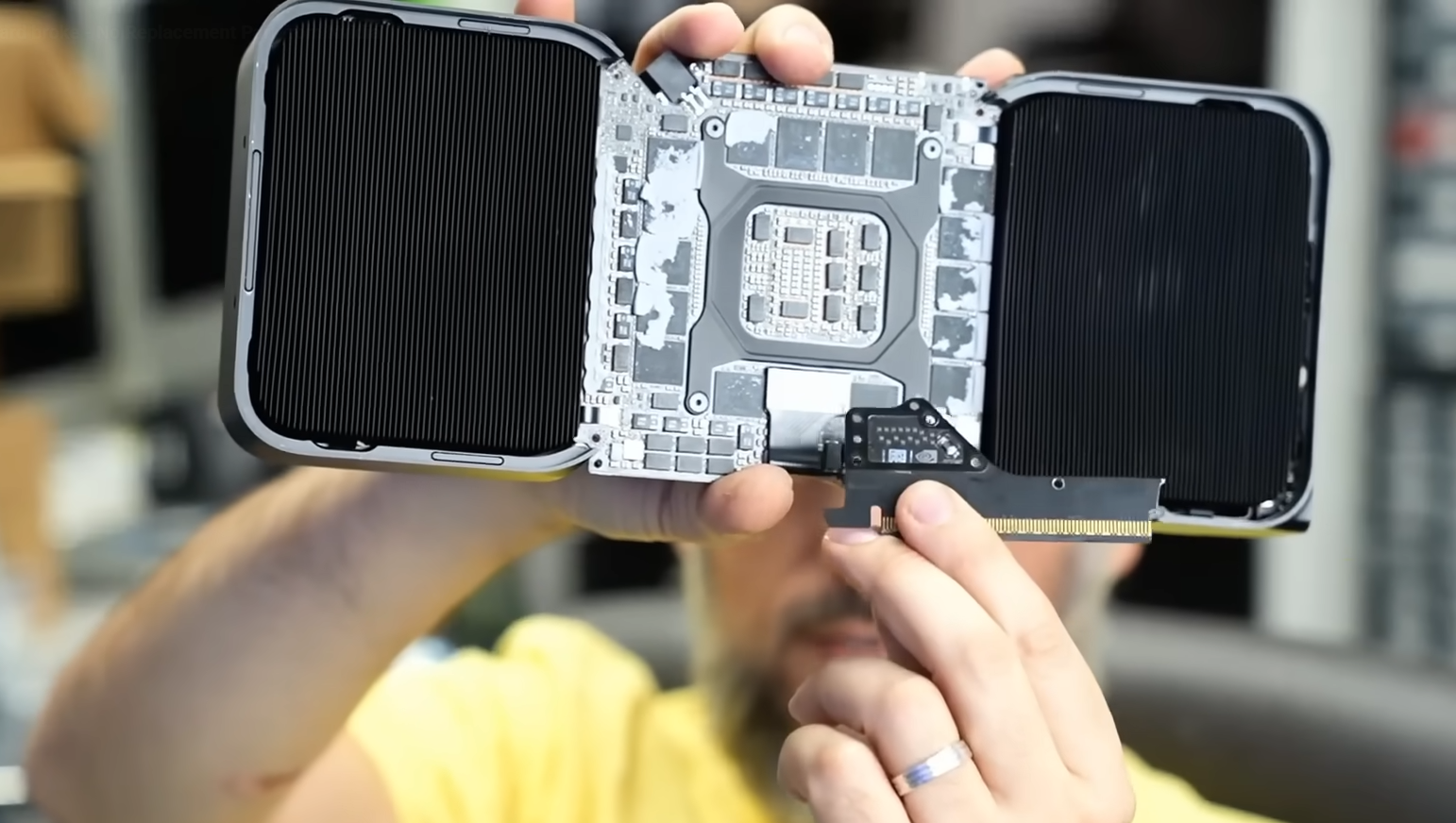
A $10,000 workstation GPU turned into e-waste over a part no bigger than a stick of gum. That’s the frustrating reality one owner of the Blackwell-based RTX PRO 6000 just faced after a shipping mishap snapped the card’s modular PCIe connector board in two—and there’s no replacement part available.
Here’s what happened. The owner shipped a full PC with the RTX PRO 6000 still mounted in the case. The sheer weight of the card stressed the modular PCIe interface board, the small daughterboard that bridges the PCIe slot to the main GPU PCB. During transit, that board fractured cleanly across the middle. The main PCB and GPU core reportedly remained intact and the PCIe slot connector on the PCB was fine. In other words, the card was theoretically salvageable—if only a replacement connector board existed.
This is the same modular design approach seen on the RTX 5090 Founders Edition, which has drawn criticism from repair specialists like NorthbridgeFix for introducing a fragile failure point without providing serviceable spares. The big problem isn’t just that the part is delicate under extreme stress; it’s that you can’t buy a new one. If that board breaks, your ultra-premium GPU is effectively dead unless the manufacturer agrees to replace the entire unit. In the earlier 5090 case, the owner was promised a replacement, but it’s unclear whether a workstation-class customer will receive the same outcome given the far higher price tag.
For professionals eyeing the RTX PRO 6000 for AI, compute, or advanced 3D workloads, the takeaway is sobering. A single unserviceable component can jeopardize a five-figure investment. And unlike gaming cards, there are no third-party custom models of the RTX PRO 6000 to switch to for different shroud or board designs, so the reference build is your only option.
If you own a heavy, high-end GPU—or plan to ship a system with one—these precautions can help prevent a similar disaster:
– Always remove the graphics card before shipping a PC. Pack the card separately in its original foam or a snug anti-static container.
– Use a robust GPU support bracket or vertical support inside the case during everyday use to reduce sag and stress on connectors.
– If you must ship a pre-installed card, immobilize it: add dense foam blocks to support the card’s weight and prevent movement, and secure the rear I/O and bracket firmly.
– Photograph the system before packing and consider shipping insurance that covers internal hardware damage.
– Check warranty and RMA terms in advance to understand what is and isn’t covered in the event of shipping damage.
The broader question remains: why make a PCIe interface modular if replacement parts aren’t available to buyers or authorized repair centers? Until that changes, workstation users are left with an expensive vulnerability. One cracked connector board shouldn’t be a death sentence for a flagship GPU, but right now, it is.