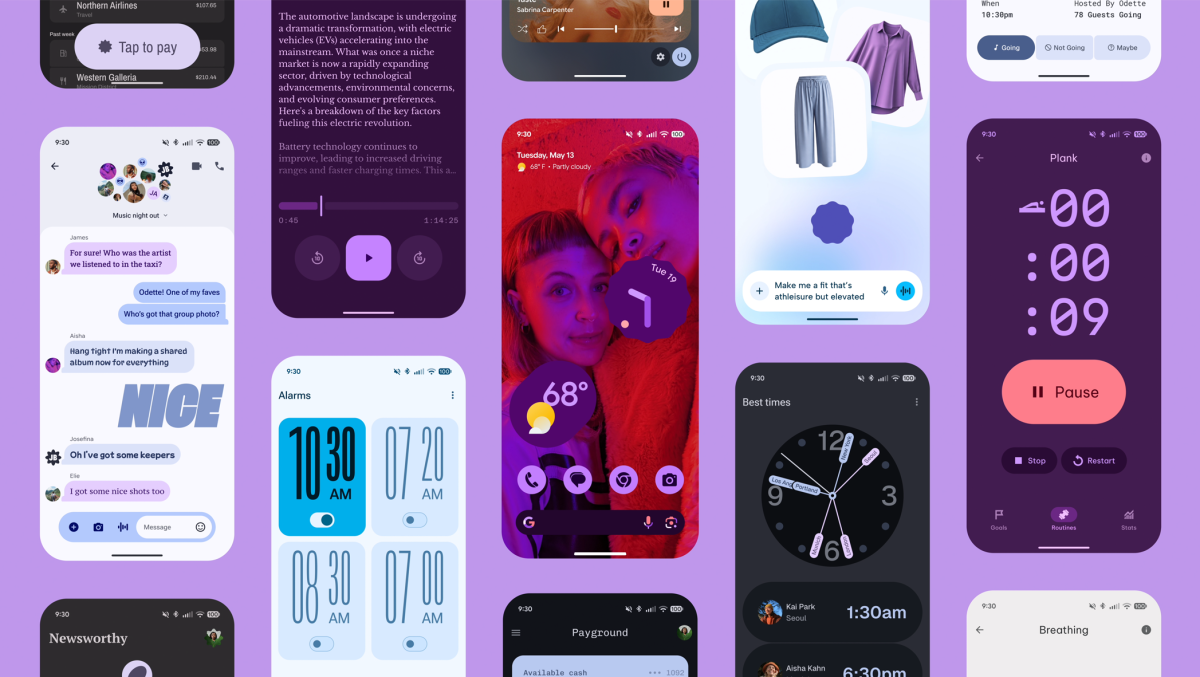
Google is rolling out a wave of updates across Android and Pixel devices, packing in deeper personalization, smarter AI features, richer audio options, and easier ways to share. From a more expressive look and feel on Pixel phones to on-wrist navigation, improved Gboard writing tools, and new audio-sharing tricks, this release aims to make everyday use faster, more fun, and more personal.
Material 3 Expressive begins landing on Pixel 6 and newer models, plus Pixel Tablet. This update gives your device a more customized vibe with Live effects that animate your lock screen wallpaper and tools to design personalized calling cards for contacts. It’s all about making your phone feel uniquely yours.
For audio lovers, Adaptive Audio is coming to Pixel Buds Pro 2 later this month. The earbuds will automatically tune to your surroundings so you can stay aware of what’s happening around you while enjoying music. You’ll also be able to chat clearly with Gemini in noisy environments, and even accept or decline calls with simple head gestures like nodding or shaking—perfect when your hands are full.
Pixel Watch users get a navigation boost. Start walking or biking directions on your phone in Google Maps and see them automatically appear on your smartwatch, so you can keep your phone in your pocket and your route on your wrist.
Gboard is getting smarter with new on-device AI writing tools. You can instantly change the tone of your text to be more formal, expressive, or concise, and quickly fix spelling and grammar errors. Because proofreading and rewriting happen on your device, your data stays private.
Audio sharing on Android is getting a major upgrade. You can now pair two LE Audio Bluetooth headphones to a single phone, letting two people listen at the same time—great for watching a movie together or sharing a playlist on a commute. You can also create a QR code to start a private broadcast others can join, making it easy to host group listening sessions like a silent disco, all while everyone uses their own headphones.
Sharing files is faster and clearer with the redesigned Quick Share. It’s easier to switch between sending and receiving, preview photos before you share, open files right away when you get them, and see a live progress indicator that shows exactly how much of your transfer has completed.
Rounding things out, Google is introducing Androidify, a playful way to build your own Android bot. Upload a selfie or write a prompt, and behind the scenes Gemini 2.5 Flash helps caption your photo while Imagen generates your custom Android character. In some cases, Veo 3 can even animate your bot to bring it to life.
If you’re on a Pixel 6 or newer or use Pixel Tablet, check for updates to try Material 3 Expressive. Keep an eye out for Adaptive Audio on Pixel Buds Pro 2 later this month. Give Gboard’s new AI writing tools a spin, explore dual-headphone audio sharing, and test the refreshed Quick Share to speed up your sends. And when you’re ready to get creative, build your own Android bot with Androidify. These updates make Android feel more personal, more private, and more connected—exactly what you want from your daily tech.