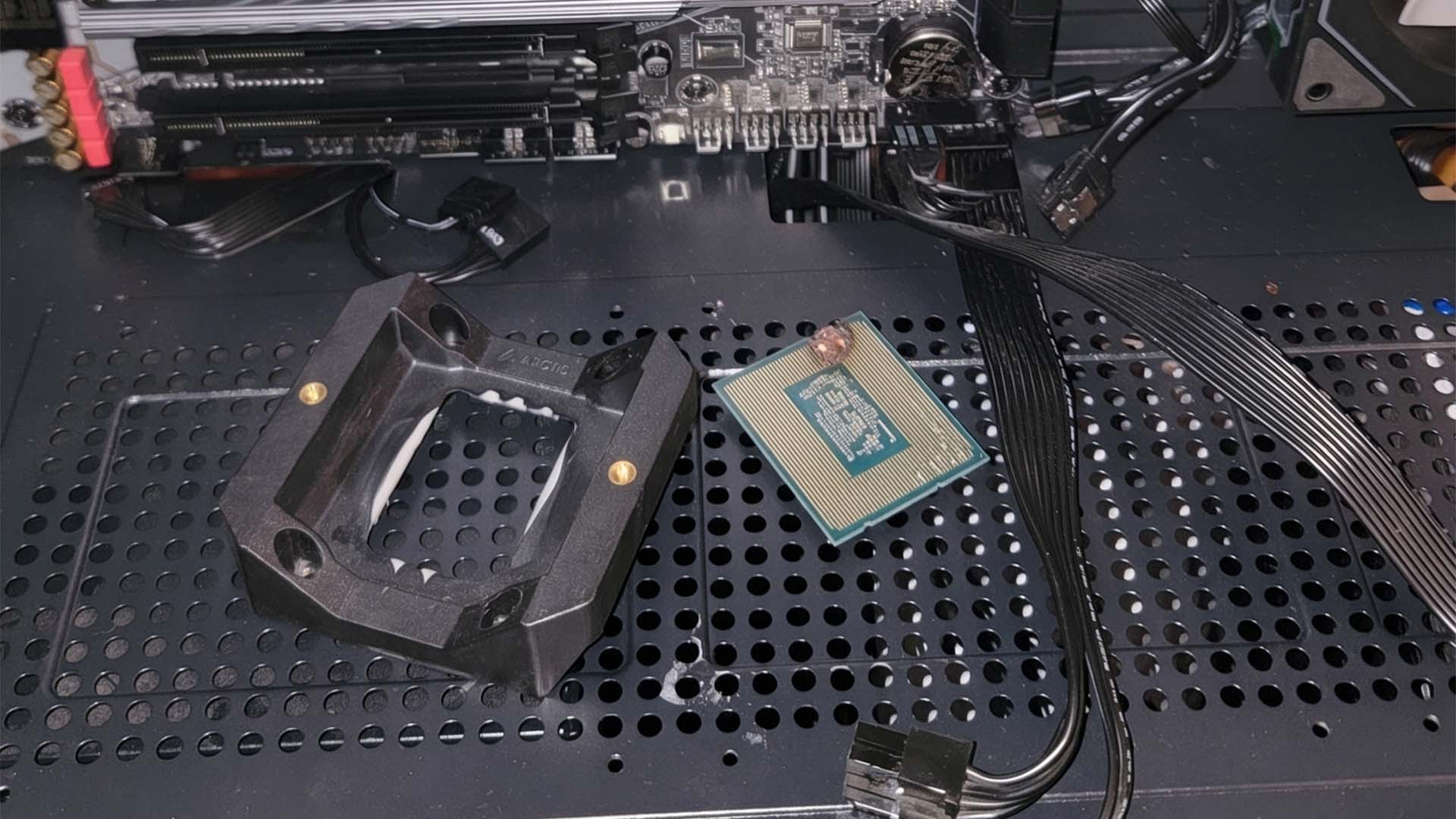
A simple CPU installation mistake destroyed an Intel processor and motherboard in seconds
Building a custom gaming PC can be one of the most satisfying experiences for any hardware enthusiast. Choosing the right parts, assembling the system, and finally pressing the power button can feel like a major achievement. But one small mistake during installation can quickly turn an exciting build into an expensive lesson.
That is exactly what happened to one PC builder who accidentally damaged both an Intel Core i5-13400F processor and a GIGABYTE Z690 Gaming X motherboard after the CPU was installed incorrectly. The mistake caused the system to smoke immediately after power was applied, leaving the components unusable.
The builder shared the experience online, explaining that they had purchased the GIGABYTE Z690 Gaming X motherboard from a friend for €90, which is around $101. After buying the board, they had to wait about a month for a new PC case to arrive before they could begin the build.
Once the case finally arrived, they started assembling the computer. According to the post, the builder spent around two hours working on the system and was even scolded by their parents for focusing on the PC instead of studying. After everything appeared to be ready, they connected the power supply, turned the system on, and immediately saw smoke.
For anyone building a PC, smoke is one of the worst possible signs. It usually means that something has shorted, overheated, or failed electrically. In this case, the damage appears to have come from the CPU not being seated correctly in the motherboard socket.
The system used an Intel Core i5-13400F, which fits into an LGA socket. Unlike older CPU designs that have pins on the processor itself, Intel’s modern LGA sockets place the delicate pins inside the motherboard socket. The bottom of the CPU has contact pads that must line up perfectly with those pins.
If the processor is placed incorrectly, even slightly, the pins and contact pads may not connect as intended. When power is applied, this can cause a short circuit. That short can damage the CPU, the motherboard, and potentially other connected hardware.
Images shared by the builder showed visible burn marks near the lower-left edge of the Z690 CPU socket, along with damage on the processor. This suggests that the CPU and motherboard were both affected almost instantly after the system was powered on.
The only positive part of the story is that the financial loss could have been much worse. The motherboard was purchased second-hand for €90, so the builder did not lose a high-end board bought at full retail price. Still, the destroyed Intel CPU adds to the cost, and the experience is a painful reminder of how unforgiving PC hardware can be when installed incorrectly.
This incident highlights one of the most important rules of building a desktop PC: never rush the process. CPU installation is one of the most delicate steps in any build. Before locking the processor into place, builders should always check the alignment markers on both the CPU and motherboard socket. The CPU should sit flat without pressure. If it does not fit easily, something is wrong.
Forcing a processor into the socket is one of the fastest ways to cause serious damage. The retention arm may require some pressure when closing, but the CPU itself should never need to be pushed, twisted, or adjusted with force. Proper alignment is critical.
It is also a good idea to inspect the motherboard socket before installation. Bent pins, debris, or incorrect positioning can all lead to problems. Builders should work in a well-lit area, avoid distractions, and take their time with every step.
PC building is not difficult, but it does demand patience. A modern gaming PC can include hundreds or even thousands of dollars in components, and many of those parts can be damaged by a simple oversight. Double-checking the CPU orientation, power cables, memory placement, and cooler installation can prevent costly mistakes.
For new builders, this story is a valuable warning. The excitement of finishing a build should never replace careful inspection. Before pressing the power button for the first time, it is worth taking a few extra minutes to review the entire system.
In the end, the builder lost a CPU and motherboard, but gained an important lesson that many experienced PC enthusiasts learn early: precision matters. A successful PC build is not just about having the right components. It is about installing them correctly, patiently, and carefully.