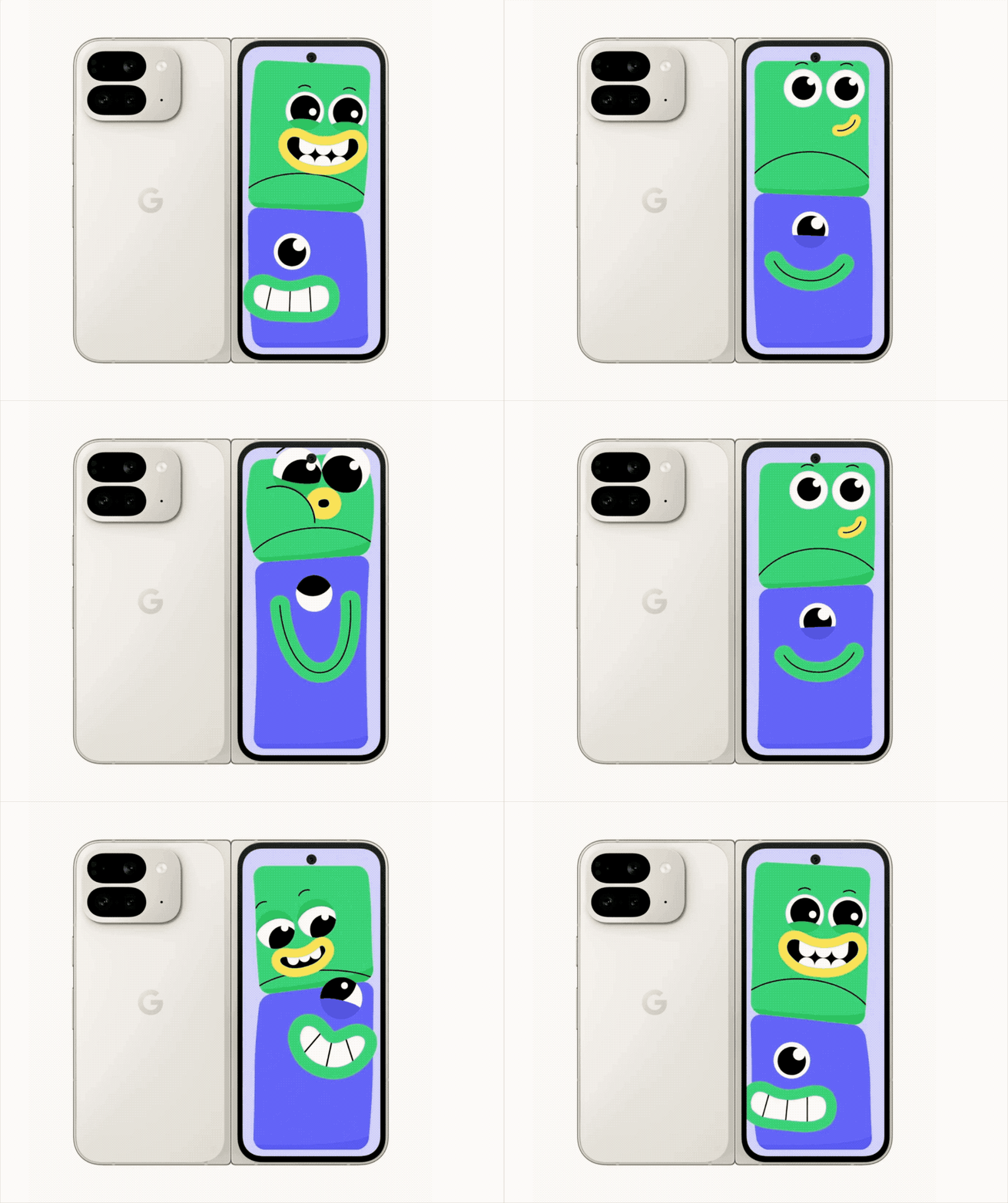
Capturing the perfect photo, especially with kids involved, can be quite the challenge. Google has come up with an innovative solution, as unveiled at their recent Made by Google event. Their new feature, ‘Made You Look,’ integrates cartoon fun into the mix, ensuring children are engaged and more likely to flash a smile for the camera.
Traditionally, getting a child to smile for the camera has meant parents resorting to a variety of antics, from playful gestures to funny faces. Google’s ‘Made You Look’ harks back to these time-tested methods, adding a twist of modernity and technology into the process. Designed specifically for the upcoming Pixel 9 Pro Fold—set to hit the market next month—this feature cleverly leverages the foldable phone’s dual display to captivate a child’s attention.
Here’s how it works: once the ‘Made You Look’ feature is activated and the camera is unfolded, an animated visual such as a vibrant yellow chick appears on the outer screen. This cartoon plays to draw and maintain the child’s gaze, giving you the perfect window of opportunity to snap the photo.
But Google didn’t stop at just any animated figures; they’re stepping up their game by introducing licensed characters starting with Joy. Voiced by Amy Poehler, Joy is one of the beloved emotions from Pixar’s animated film series ‘Inside Out.’ This familiar and cheerful character popping up on your phone’s screen is bound to coax a grin from even the most camera-shy kids.
A Guide to Using ‘Made You Look’ for the Best Kid-Friendly Photos
To help parents and photographers alike, here is a step-by-step guide to using the ‘Made You Look’ feature:
1. Ensure you have the Pixel 9 Pro Fold – the feature is exclusive to this model due to its foldable design.
2. Before starting the photo session, activate ‘Made You Look’ in the camera settings.
3. Unfold your Pixel phone to reveal the front display and begin the photo-taking process.
4. Engage the child by pointing out the animated visual appearing on the outer screen—watch as their focus shifts towards the playful imagery.
5. While their attention is on the screen, quickly capture the moment with a natural smile.
Looking beyond the technical aspects, it can also be helpful to maintain a light-hearted, playful atmosphere during the photoshoot. Encourage parents or guardians to interact and bond with the child along with the animated character, further elevating the chances of capturing a genuine, joyful expression.
Lastly, Google’s move to include characters such as Joy can be seen as an indication of growing trends in interactive and augmented reality-infused photography. Keep an eye out for potential updates, and consider how these tech advancements could enhance personal photography or professional sessions with clients.
Whether you’re a professional photographer looking to capture candid kid moments or a parent yearning for that perfect family album shot, Google’s ‘Made You Look’ offers an inventive tool to make the process easier and more fun.