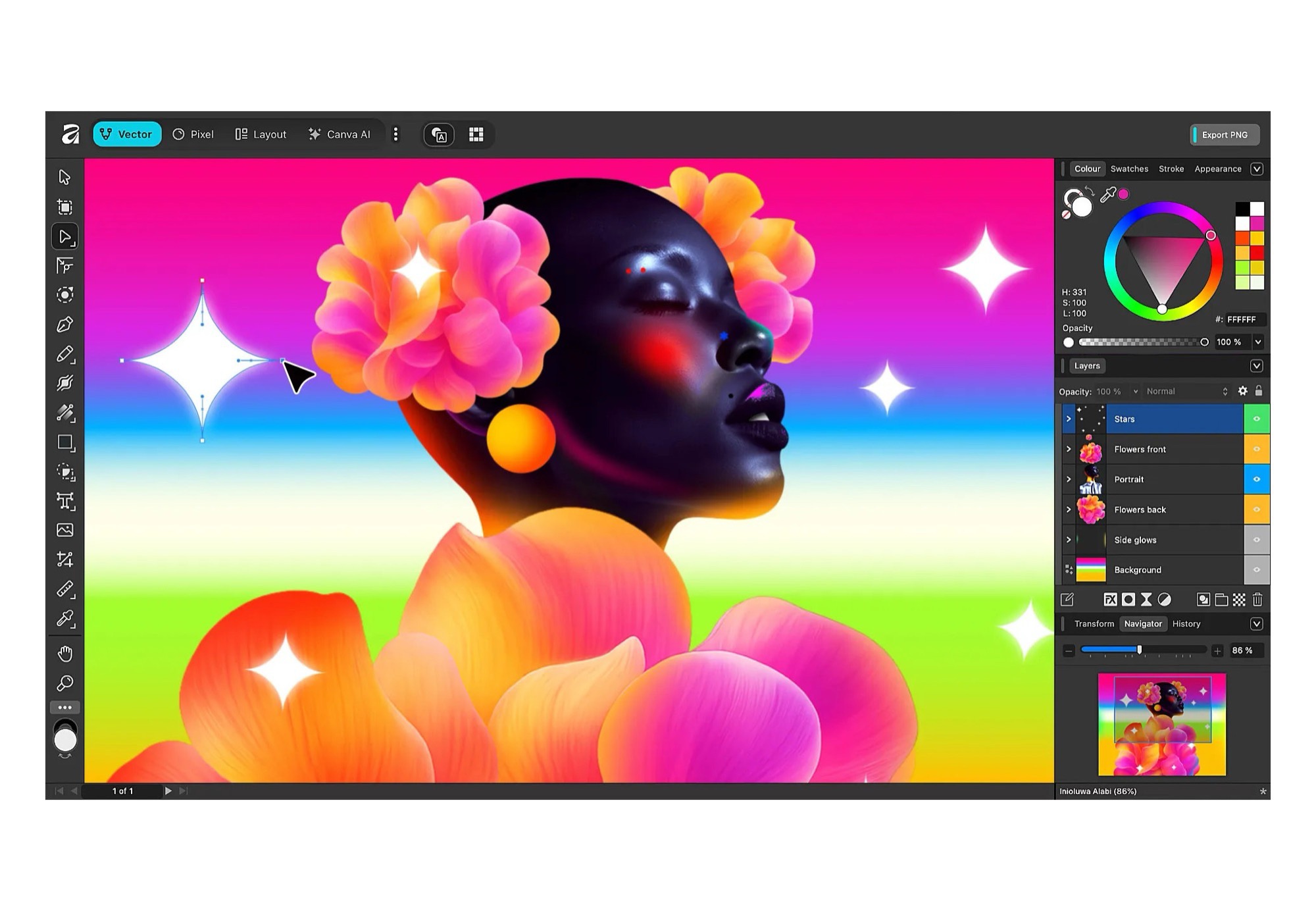
Canva is streamlining creative workflows by unifying Affinity’s three apps into a single experience, and it comes with a clear perk: one subscription unlocks AI features across both the new Affinity app and Canva. If you prefer a traditional setup, you’re covered too—skip the AI tools and Canva tie-ins, and you can work fully offline with no subscription required, just like before.
This move isn’t just about licensing. Bringing everything together means all tools are available in every persona, and you can switch personas at any time. That makes it far easier to blend pixel editing, vector illustration, and layout design in one place—perfect for building print-ready documents, social content, and web assets without jumping between separate apps.
Deep integration with Canva adds another advantage. You can export your work directly into Canva, making it simple to hand off projects for collaboration, apply brand kits, or adapt designs for different formats and channels.
Key benefits at a glance:
– One subscription covers AI features in both the Affinity app and Canva
– Direct export into Canva for collaboration and content repurposing
– Offline, no-subscription workflows remain available for those who want them
– All tools accessible in all personas, with instant switching
– Effortless mixing of pixel, vector, and layout elements for print and web projects
Whether you’re a designer, illustrator, photographer, or part of a marketing team, the unified app offers a faster, more flexible creative process. Use AI when it helps, stay offline when you want, and move fluidly from concept to delivery—all without breaking your flow.