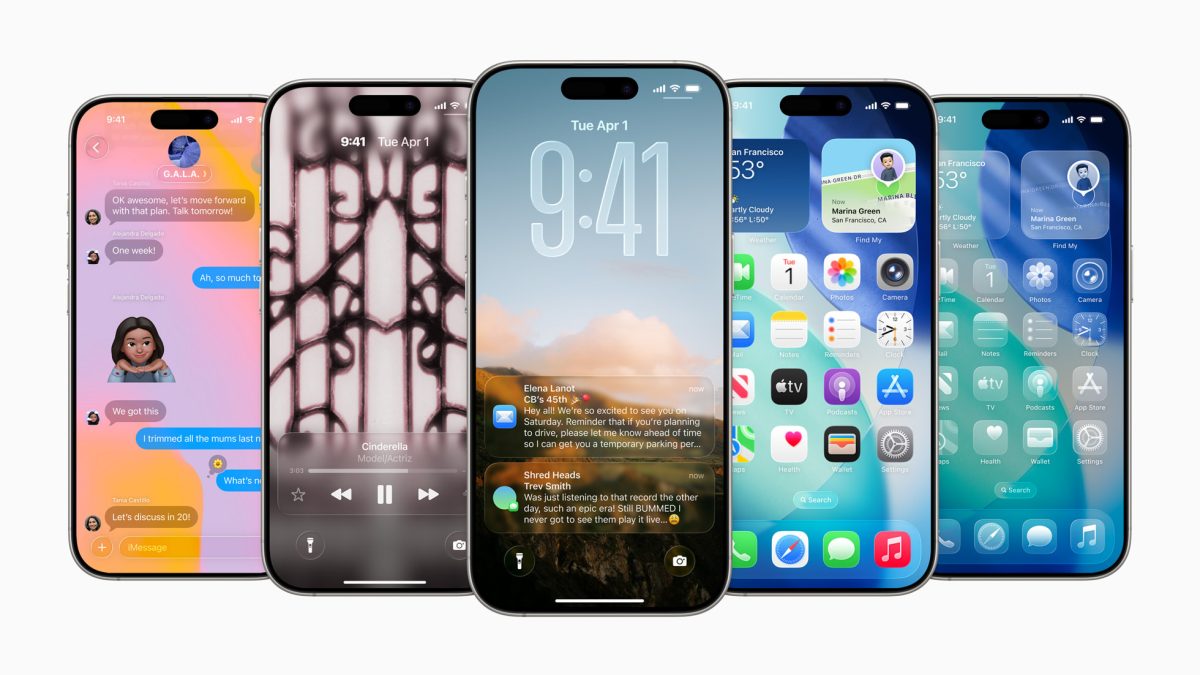
Apple has rolled out the third beta of the eagerly anticipated iOS 26 and iPadOS 26 updates for developers, available for free download on compatible iPhones and iPads. This follows the release of beta 3 versions of macOS Tahoe 26, watchOS 26, and visionOS 26, also accessible through the Settings app on respective devices. Here’s a closer look at how you can download and install these updates.
To download the iOS 26 and iPadOS 26 beta, head to the Settings app on your device. Make sure your Apple ID is connected to your Developer Account. If it isn’t linked, the OTA update won’t appear. Once that’s sorted, navigate to Settings, then General, then Software Update, and finally Beta Updates to follow the instructions for installation. The process is identical for both iPhone and iPad.
For macOS Tahoe 26, beta 3 is available via the Software Update section in System Settings. However, there’s a known issue preventing installation on Apple’s M-series chip devices, affecting only Intel-based Macs at this time. Again, you’ll need your Apple ID linked to your Developer Account to receive the update.
Apple has also introduced watchOS 26 and visionOS 26 updates for developers. To install watchOS 26, ensure your Apple Watch is charged over 50% and on the charger. Access the Apple Watch app on your iPhone, head to General, then Software Update, and choose Beta Updates to proceed. Similarly, you can download visionOS 26 through the Vision Pro Settings app.
As far as what’s new, these updates promise a major interface redesign dubbed “Liquid Glass,” but we’ll need to wait for developers to delve in and reveal any other changes. These updates are set to officially launch later this year, coinciding with the iPhone 17 release in September.