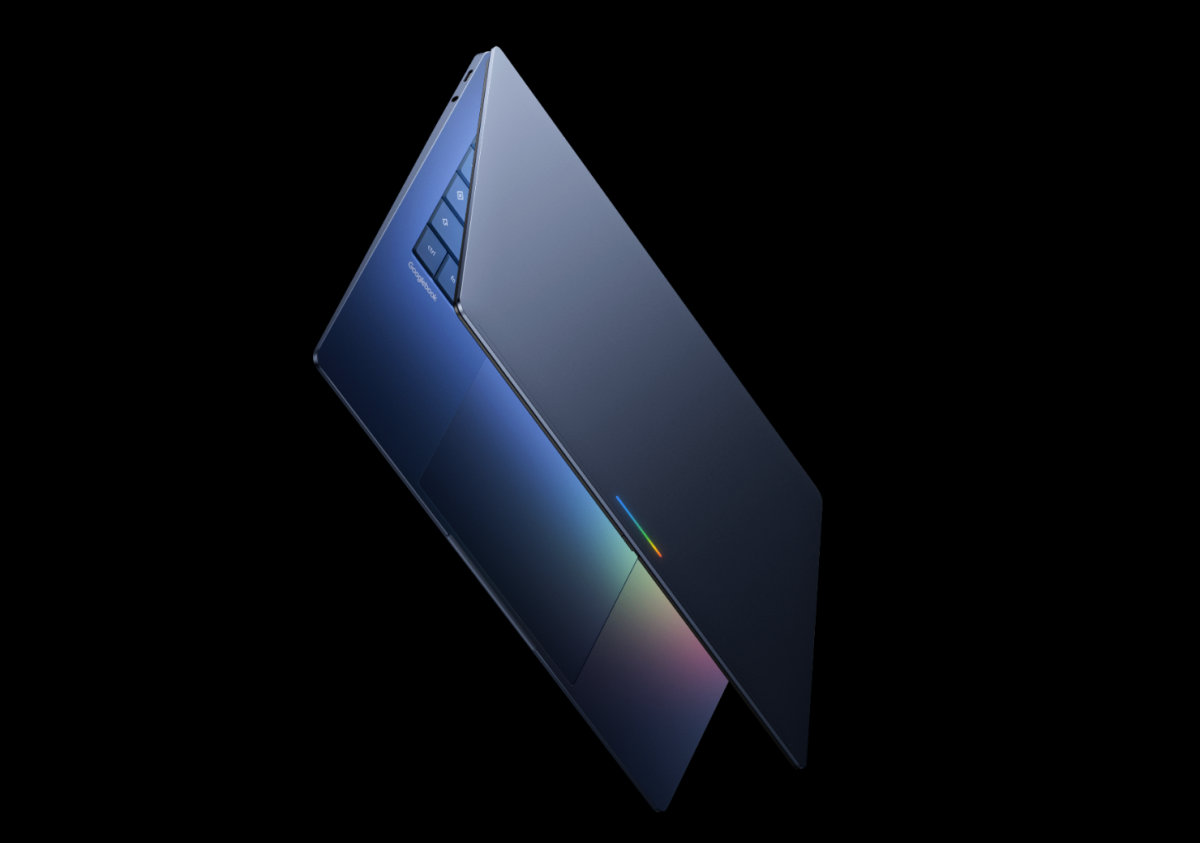
Google used its virtual “Android Show: I/O Edition” event to preview a wave of Android updates arriving ahead of its annual developer conference later this month. As expected, the biggest theme is AI, with Gemini Intelligence woven deeper into Android, Chrome, cars, and productivity tools. Alongside the software news, Google also introduced a brand-new laptop category built around Gemini from day one.
Here’s everything Google announced, and what it means for Android users this year.
Googlebooks: Google’s new Gemini-first laptops arrive this fall
Google revealed Googlebooks, a new line of laptops designed around Gemini Intelligence at the core. Google says these devices are built to be more personal and proactive, offering assistance that feels integrated into how you work rather than bolted on as an extra app.
Google is partnering with major PC makers including Acer, Asus, Dell, HP, and Lenovo, and the first Googlebooks will launch in a range of sizes and designs this fall.
Key Googlebooks features include:
– Magic Pointer, a new cursor experience with Gemini built in
– Android phone compatibility that lets you use apps from your phone directly on your Googlebook
– Support for creating custom widgets and other Gemini-powered experiences
Create My Widget: “Vibe-coded” Android widgets you describe in plain English
Google is bringing a new feature called Create My Widget to Android, letting you build custom widgets simply by describing what you want. Instead of hunting through widget lists, you can type a request in natural language and generate a widget you can place and resize on your home screen.
Google’s example: asking for something like “suggest three high-protein meal prep recipes every week” would create a personalized dashboard widget built around that request.
Create My Widget launches first on the latest Samsung Galaxy and Google Pixel phones this summer.
Android Auto upgrades: more personalization, widgets, and video playback in supported cars
Android Auto is getting a refresh focused on personalization and better use of different display shapes. Google says the new design supports an edge-to-edge experience for dashboards of all kinds, from ultrawide layouts to circular or uniquely shaped screens.
What’s coming to Android Auto:
– More personalization options and widgets so you can see key info at a glance while navigating
– Updated app designs for in-car usability, including refreshed interfaces for YouTube Music and Spotify
– Video support in Android Auto for the first time, with 60fps full HD playback in supported cars later this year (starting with brands including BMW, Ford, Genesis, Hyundai, Kia, Mahindra, Mercedes-Benz, Renault, Škoda, Tata, and Volvo)
Gemini is also rolling out broadly to Android Auto, enabling hands-free help like asking questions, brainstorming, and learning about topics while driving. Google also says ordering food from the car is coming, starting with DoorDash.
3D emoji refresh: all Android emojis get more expressive
Google is updating all 4,000 Android emojis to look more true-to-life. The redesigned emoji set is meant to feel less flat and more expressive, with a more realistic 3D look. The refreshed emojis are expected to roll out later this year.
New Android tools for creators: easier reaction videos and better Instagram capture quality
Android is adding a Screen Reactions feature that records you and your screen simultaneously, a popular format used in short-form video. This feature rolls out to Pixel devices first this summer.
Google also announced work with Meta to improve the Instagram experience on Android, including:
– Ultra HDR support
– Native stabilization
– Night mode
– A more optimized capture-to-upload pipeline designed to keep photos and videos sharp after posting
In addition, Android will get new exclusive tools inside Meta’s Edit app, including:
– Smart enhance to upscale photos
– Sound separation to boost or remove sounds
Gemini gets more “agentic”: multi-step actions across apps
Google previewed more advanced Gemini Intelligence capabilities that can move beyond simple Q&A and perform multi-step tasks across apps using information you provide.
Examples shared by Google include:
– Take a photo of an event flyer and ask Gemini to find that event on travel and booking services such as Expedia
– With your grocery list on screen, ask Gemini to build a cart based on those items in the shopping app you choose
Gemini in Chrome on Android: summaries, page Q&A, and experimental auto-browsing
Gemini in Chrome is coming to Android after appearing on other platforms earlier. On Android, it will let you:
– Summarize content on a webpage
– Ask questions about what you’re viewing
Google also says Android users will gain an experimental auto-browse feature that can navigate websites and complete tasks on your behalf, such as booking a ticket.
Smarter form filling: Gemini can help with complex fields (opt-in)
Google is also introducing an opt-in feature that lets Gemini use data from Personal Intelligence to help fill out complex forms on mobile. The goal is to reduce repetitive typing and make longer, complicated forms faster to complete.
Gboard’s new dictation tool “Rambler” cleans up what you say
A new Gboard feature called Rambler is designed to turn spoken dictation into cleaner, more polished text. It removes filler words like “um” and “ah,” and it can understand quick self-corrections.
Example: if you say, “Let’s meet at 3 PM… um, 2 PM,” it will output “Let’s meet at 2 PM.”
Quick Share expands iPhone sharing support beyond Pixel
Google says it’s expanding Quick Share’s ability to share photos and files with iPhones by making it work more broadly with AirDrop-style transfers. This expanded support is coming to more Android brands, including Samsung, Oppo, OnePlus, Vivo, Xiaomi, and Honor.
Additional Quick Share improvements include:
– Generating a QR code on any device to share files to an iPhone through the cloud (helpful when devices aren’t directly compatible)
– Plans to bring Quick Share into apps such as WhatsApp
Easier iPhone to Android switching: more data moves over, including home screen layout
Google is planning a new iOS-to-Android transfer option that aims to make switching less painful. It will allow users to import:
– Passwords
– Photos
– Messages
– Favorite apps
– Contacts
– eSIM
– Home screen layout
This feature is expected to launch on Samsung Galaxy and Google Pixel devices later this year.
Pause Point: a new way to slow down “distraction apps”
Google announced a new Android feature called Pause Point for apps you label as distractions. When you try to open one of those apps, Android will force a 10-second pause before you can proceed, while suggesting alternative actions (like opening a reading app instead). You can also set an optional timer to cut you off after a certain amount of time.
Expanded theft and threat protection: more default-on security for Android users
Google is expanding its theft protection features globally after earlier testing in Brazil. These protections will be enabled by default on new Android 17 devices, as well as freshly reset devices and devices upgraded to the latest OS.
Updates include:
– Default-on features such as Remote Lock and Theft Detection Lock
– Fewer allowed attempts to guess a PIN or password, plus longer wait times after repeated failures
– Law enforcement access to a device’s IMEI directly from the lock screen on Android 12 and higher, intended to help verify ownership quickly if a phone is stolen
Google also plans to extend these theft protections to Android 10 and up in select markets, including Argentina, Chile, Colombia, Mexico, and the U.K.
For Pixel users running up-to-date software with Advanced Protection Mode enabled, Google says Intrusion Logging is now available to help investigate suspected spyware attacks and device compromises.
With Google pushing Gemini deeper into Android, Chrome, and Android Auto, these updates signal a major shift toward AI-assisted everyday computing. And with Googlebooks on the way this fall, Google is clearly betting that the next phase of Android isn’t just about phones—it’s about making Gemini a constant layer across every screen you use.


