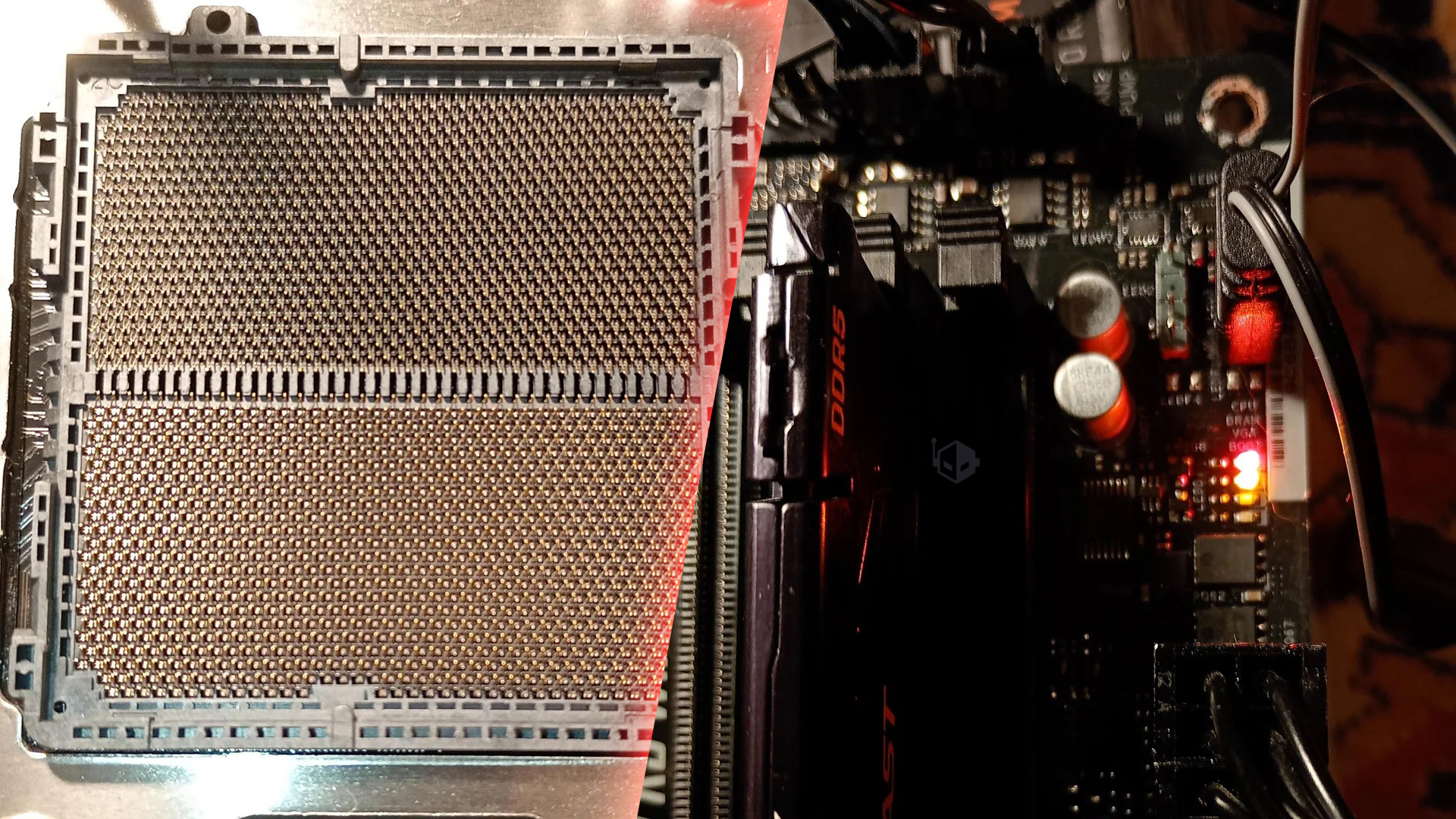
A 65W desktop CPU failing is the kind of thing most PC builders never expect to see. That’s why a new report involving AMD’s Ryzen 5 7500F has been turning heads—especially because the processor had reportedly been running normally for months before suddenly refusing to boot.
In the post, a Reddit user described their Ryzen 5 7500F dying while paired with an ASRock B850 RS PRO WiFi motherboard. The system had reportedly worked without issues for around seven months, making the sudden failure feel less like a bad initial setup and more like a component that degraded or was damaged over time.
Photos shared in the thread showed the motherboard’s CPU debug LED staying lit, with the DRAM LED also illuminated. While debug lights aren’t a perfect diagnostic tool, that combination commonly points toward a CPU problem (or something preventing the CPU and memory from initializing properly). Notably, no obvious physical damage to the processor was shown, and the socket area appeared clean and intact—something that can happen even when a CPU has failed electrically.
Because the Ryzen 5 7500F is a power-efficient 65W chip, a straightforward “it drew too much power” explanation isn’t as easy to pin down as it might be with higher-wattage parts. Still, some commenters speculated that abnormal voltage behavior could potentially play a role in rare cases. Without deeper testing—trying another CPU in the board, testing the CPU in a different motherboard, or inspecting power and voltage settings—there’s no definitive cause.
One point raised in the discussion involved memory placement. The user’s single RAM stick was initially installed in the B1 slot, whereas many motherboards typically recommend A2 or B2 for one-module configurations. However, the user said they had already tried other slots and the system still wouldn’t come back. And since the PC reportedly ran fine for months, the “wrong slot” theory doesn’t fully explain why it would fail only after an extended period of stable use.
Bigger picture, reports of Ryzen 7000 series failures have generally been less common than some of the chatter surrounding newer parts, and overall RMA rates are often described as remaining within normal ranges despite scattered incidents. At the same time, ASRock boards have repeatedly come up in online discussions about unexplained CPU failures. A recently released BIOS update was mentioned as an attempted mitigation step, though in this case the user said they didn’t get the opportunity to update before the problem occurred. It’s also worth noting that BIOS updates in the past haven’t always eliminated these types of reports entirely, which keeps the root cause a topic of debate among builders.
For anyone running a similar setup, the practical takeaway is simple: keep your motherboard BIOS up to date, follow the recommended RAM slot configuration, and if you experience persistent CPU/DRAM debug lights with no visible socket damage, swap-testing with known-good components is often the fastest way to confirm whether the CPU or motherboard is at fault.