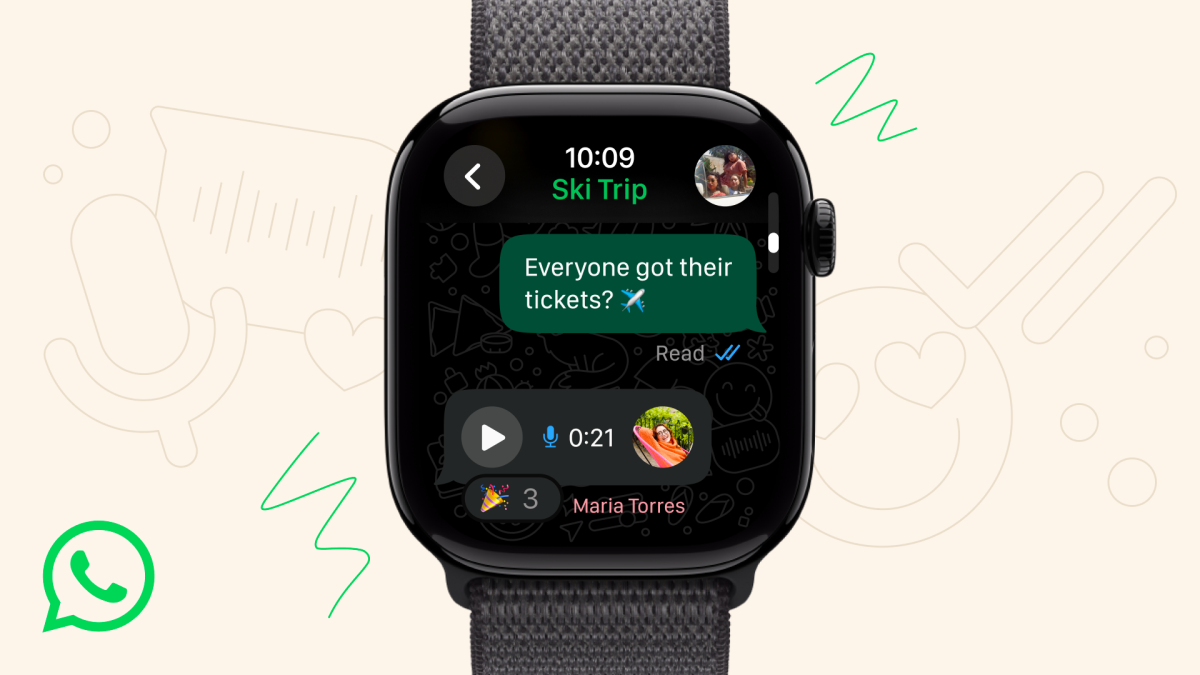
WhatsApp is officially coming to your wrist. The messaging service has launched a dedicated Apple Watch companion app that lets you stay on top of conversations without reaching for your iPhone. You can receive call notifications, read full messages, and even record and send voice messages directly from your watch.
The app goes beyond basic alerts. You can react to messages, see more of your chat history on screen while reading, and view clearer images and stickers right on the watch display. As with the iPhone app, personal messages and calls remain protected with end-to-end encryption.
WhatsApp says more features are on the way for Apple Watch, but you can start using the new app now if you have the right hardware. It requires Apple Watch Series 4 or later running watchOS 10 or newer.
The rollout follows recent efforts to make WhatsApp accessible across more devices. In May, the service launched its long-awaited iPad app with support for video and audio calls for up to 32 people, screen sharing, and the ability to switch between the front and rear cameras. Before that, iPad users had to rely on the web version in a browser.
Another popular messaging app also introduced a watchOS app in recent months, focusing on quick replies with keyboard, Scribble, Dictation, or emojis. By comparison, WhatsApp’s watch experience emphasizes full-message viewing and media like images and stickers, along with voice notes and call alerts.
Key points:
– WhatsApp launches a companion app for Apple Watch
– Get call notifications, read entire messages, and send voice messages from your wrist
– React to messages, view more chat history, and see clearer images and stickers
– End-to-end encryption remains in place for messages and calls
– Requires Apple Watch Series 4 or later with watchOS 10 or newer
– Part of WhatsApp’s broader push beyond phones and desktops, following the new iPad app with group calling, screen sharing, and dual-camera support
If you’re running a supported Apple Watch, this update makes it easier than ever to keep up with chats, respond on the go, and manage conversations without pulling out your phone.


