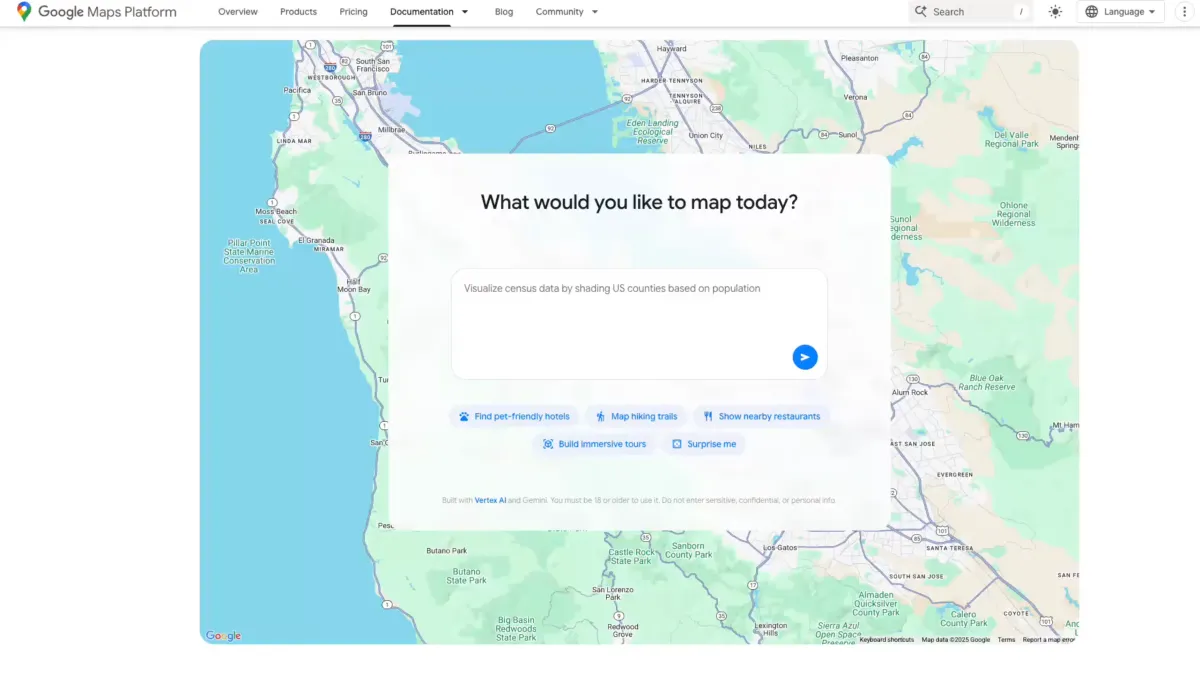
Google Maps is getting a major AI upgrade, bringing powerful new tools for developers and useful features for everyday users. At the heart of the rollout are Gemini models, which power a builder agent for rapid map-based prototyping, a styling agent for custom map designs, an MCP server that connects AI assistants to Google Maps documentation, and new ways to ground AI answers in real-world location data.
For developers, the builder agent works like a smart coding partner. Describe the prototype you want, and it generates a working interactive project. Try prompts like “create a Street View tour of a city,” “create a map visualizing real-time weather in my region,” or “list pet-friendly hotels in the city.” Once the code is ready, you can export it, preview the project with your own API keys, and fine-tune everything in Firebase Studio.
The styling agent helps teams create customized map experiences that match a brand’s look and feel, including color schemes and design themes. That makes it easier to deliver polished, on-brand interfaces without starting from scratch.
To make AI assistants more accurate with location-based questions, Google is introducing Grounding Lite. Using the Model Context Protocol (MCP), developers can ground their own AI models in fresh, trusted map data. That enables more reliable answers to queries like “How far is the nearest grocery store?” or “Which hotels allow pets near downtown?”
Complementing this is Contextual View, a low-code Google Maps component that turns answers into visual context. Depending on the query, users can get results as a list, a map, or even a 3D view, helping them understand the information at a glance.
Another boost for productivity is the MCP server for Google Maps. This code assistant toolkit connects AI agents directly to Maps’ technical documentation, so developers can quickly find how to call APIs, interpret responses, and combine datasets. Recently released extensions for the Gemini command line tool also make it easier to access Maps data during development.
On the consumer side, Google is adding more Gemini-powered capabilities to the Maps app. Users can now engage Gemini hands-free during navigation, making it easier to get help on the road. In India, Maps has started rolling out incident alerts and speed limit data in select areas, improving awareness and safety for drivers.
Key highlights:
– Builder agent to generate interactive map prototypes from plain-language prompts
– Styling agent for brand-ready, customized map designs
– Grounding Lite via MCP to connect AI models to real-world Maps data
– Contextual View to present answers as lists, maps, or 3D visualizations
– MCP server and CLI extensions to streamline work with the Google Maps API
– Consumer features including hands-free Gemini navigation, plus incident and speed limit alerts in select regions
With Gemini woven throughout, these updates aim to speed up development, elevate user experiences, and make location intelligence more accessible—whether you’re building the next great maps app or just navigating your daily commute.


