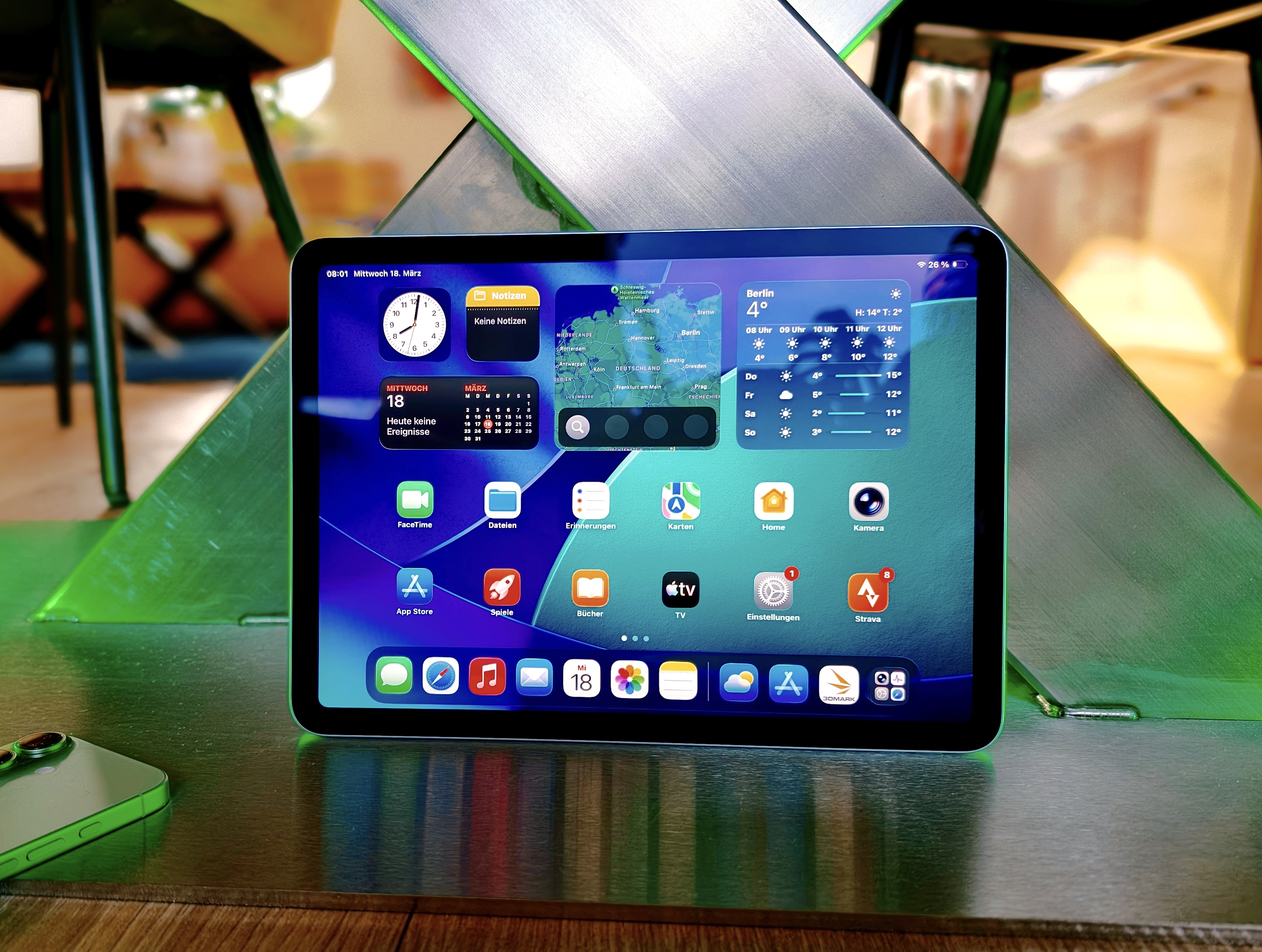
Apple’s iPad Air 11 (2026) makes a bold statement: you rarely get this much raw power in a tablet. With the Apple M4 at its core, this model leans heavily into performance, delivering a noticeable jump over the previous generation and, in some cases, even challenging what you’d expect from a lightweight laptop.
Massive M4 performance that feels laptop-level in everyday use
The iPad Air 11 (2026) is powered by an Apple M4 with an 8-core CPU (4 performance cores and 4 efficiency cores) paired with a 9-core GPU. In practical terms, that translates to roughly 15–20% more performance than its predecessor. Benchmarks underline the point, with Geekbench 6.6 results around 3,735 in single-core and 13,494 in multi-core performance, plus strong AI test scores reaching up to 54,488.
What does that mean for real-world users? 4K video work, 3D rendering, creative projects, heavy multitasking, and fast app switching all feel smooth and responsive. Only under extreme, sustained workloads does the tablet begin to throttle slightly, which is typical for thin, fanless hardware.
The iPadOS limitation: where tablet power meets software boundaries
For many buyers, the biggest question isn’t whether the iPad Air is fast enough. It’s whether iPadOS can fully take advantage of that speed in professional workflows. Even with ongoing improvements, iPadOS still trails macOS in areas that matter to power users.
If your day involves complex video editing pipelines, programming, advanced file management, or desktop-style multitasking, you may still miss essentials like truly flexible window management, a more desktop-like file system, and full-featured desktop applications. iPadOS 26 does move things forward with better multitasking and support for background processes, but the “can it replace a MacBook?” question still depends heavily on which apps you use and how demanding your workflow is. For some people it can, for others it still can’t.
Display, design, and connectivity: excellent fundamentals, a few compromises
The 10.86-inch IPS display has a resolution of 2360 × 1640 and runs at 60 Hz. Color accuracy is strong (∆E 1.92), and the screen is bright enough for comfortable indoor viewing. However, it can look washed out in direct sunlight, and anyone expecting an OLED-like punch or a 120 Hz refresh rate may be underwhelmed.
On the upside, this iPad Air checks many “modern tablet” boxes with fast WiFi 7 (reported up to 1,700 MBit/s), optional 5G, a speedy USB-C port, and a precise touchscreen experience. The aluminum build remains premium and sturdy, though the thicker bezels can feel a bit dated in 2026. One notable omission is the lack of water and dust resistance, meaning the tablet is not a great companion for unpredictable weather or risky environments.
Battery, cameras, and accessories: solid, familiar, not groundbreaking
Battery life is described as enough for a full working day, but it doesn’t push beyond that in a way that feels revolutionary. The 12 MP cameras are dependable: 4K video looks good, but photo quality still trails what modern smartphones can produce.
Pair it with a Magic Keyboard or Apple Pencil and the iPad Air becomes much more capable for work, study, and creative tasks. Still, the same challenge remains: even with excellent accessories, iPadOS can make certain “laptop-style” tasks feel like a workaround compared to a traditional desktop operating system.
Verdict: a seriously fast iPad that may complement a laptop, not replace it
The iPad Air 11 (2026) stands out as an extremely powerful tablet with the M4 chip and well-rounded hardware. If you want fast mobile performance for creative apps, note-taking, entertainment, and everyday productivity, it’s a strong option at a relatively fair starting price (noted from $643).
But if you rely on advanced desktop workflows, iPadOS is still the key limitation and can become the deciding factor. For casual users, students, and Apple fans, the iPad Air 11 (2026) is easy to recommend. For people chasing a true laptop replacement experience, it may fit better as a high-performance companion device rather than your only computer.