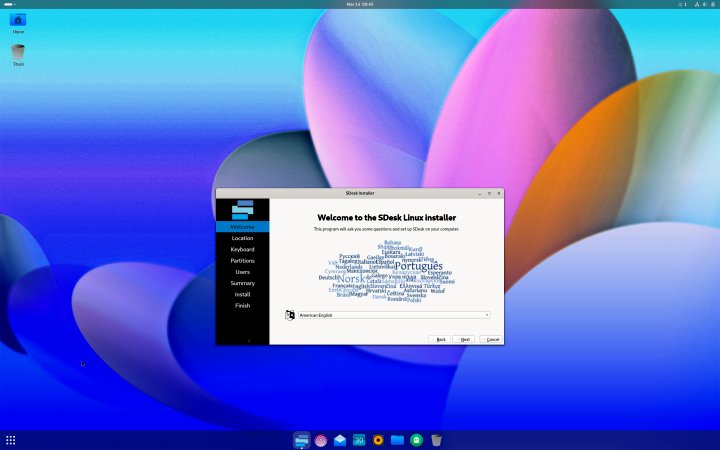
Released yesterday, SDesk 2024.09.16 brings a wave of updates that enthusiasts will find worthwhile. This new version introduces a comprehensive suite of drivers with a particular focus on enhancing touch interfaces, including fingerprint readers. However, the most notable shift is in the installation process. SDesk has transitioned from using Calamares for new user creation and initial setup to the GNOME first-run wizard, aligning seamlessly with its longstanding use of the GNOME desktop environment.
SDesk may not have the widespread recognition of other Linux distributions, but it stands out with its unique features. Built on Arch Linux, SDesk includes several proprietary components. Among these are the Swirl web browser and the Blue programming language, which is available for digital purchase at $178.52. There’s also a physical edition of SDesk priced at $192.25.
The new release, SDesk 2024.09.16, showcases an updated interface and several enhancements for the Swirl browser. It now also supports fractional scaling, meeting the demands of modern display technologies. Unlike other Linux distributions that offer myriad variations, SDesk is streamlined, available in a single ISO file for 64-bit x86 processors compatible with both BIOS and UEFI platforms. Additionally, the Swirl browser can be downloaded for Mac as a DMG file, ensuring compatibility with Apple processors.
For those intrigued by the Blue programming language, there’s a concise 35-second video that offers a quick introduction worth watching before delving deeper.
Whether you are a current SDesk user or a Linux enthusiast in general, you might want to explore Mark Reed’s “Linux: The Complete Linux Crash Course for Beginners – From Zero to Hero (2024).” The guide is affordably available for $4.99 on Kindle (also free for Kindle Unlimited subscribers) or in paperback for $28.49.
This release certainly strengthens SDesk’s position among Linux distributions, merging innovation with a touch of proprietary flair to deliver a rich user experience.