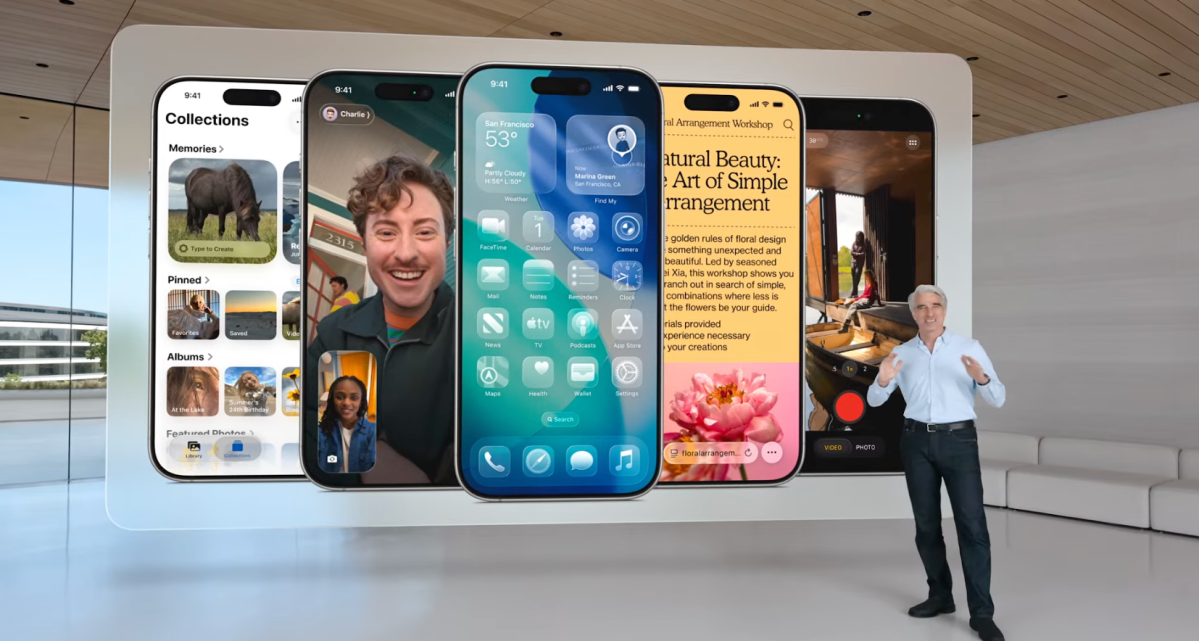
Apple is embarking on an exciting journey with its iOS 26, unveiled as part of the Liquid Glass redesign at the 2025 WWDC. This upgrade brings a fresh look and feel to key features, making your iPhone experience more visually appealing and user-friendly.
The Lock Screen and Home Screen are receiving stylish updates aligned with Liquid Glass’s sleek design. On the Lock Screen, Apple introduces a unique font called San Francisco, which adapts dynamically to your chosen image. For instance, if your beloved pet graces your screen with a sky backdrop, the font will elegantly extend to fit the space without overshadowing your furry friend’s photo.
To add a touch of magic, Lock Screen images now feature an AI-driven 3D effect, creating an enchanting animation that makes your cherished memories come alive. As you move your iPhone, the subject will seemingly pop out, giving your background a new depth.
On the Home Screen, customization takes center stage. In line with the Liquid Glass theme, many native app icons are revamped to shine in both dark mode and a novel transparent appearance.
Music lovers will delight in an updated lock screen experience, where animated visuals accompany the tunes. Just like Spotify, a short, looping clip from a music video can enhance your listening experience.
The overhaul extends to native apps like Camera, Photos, Safari, FaceTime, Phone, and CarPlay, each getting a thoughtful refresh.
The Camera app simplifies navigation, helping you easily access frequently used settings like brightness adjustments or switching between photo and video modes.
In the Photos app, Apple reintroduces tabs for quickly toggling between your library and collections, responding to user demand.
Safari embraces a cleaner design, allowing web pages to extend seamlessly across your screen for a more immersive browsing experience.
FaceTime welcomes a revamped landing page, showcasing personalized contact posters and autoplaying video messages from frequent contacts, enhancing communication.
The Phone app mirrors FaceTime’s improvements, integrating favorites directly into the contact list, ensuring the people you connect with most are easily accessible.
Car enthusiasts aren’t left out either. CarPlay now supports widgets, message reactions, and pinning conversations, providing at-a-glance updates like flight statuses.
These enhancements aim to enrich your digital interactions, blending intuitive functionality with the stunning new aesthetics of iOS 26.