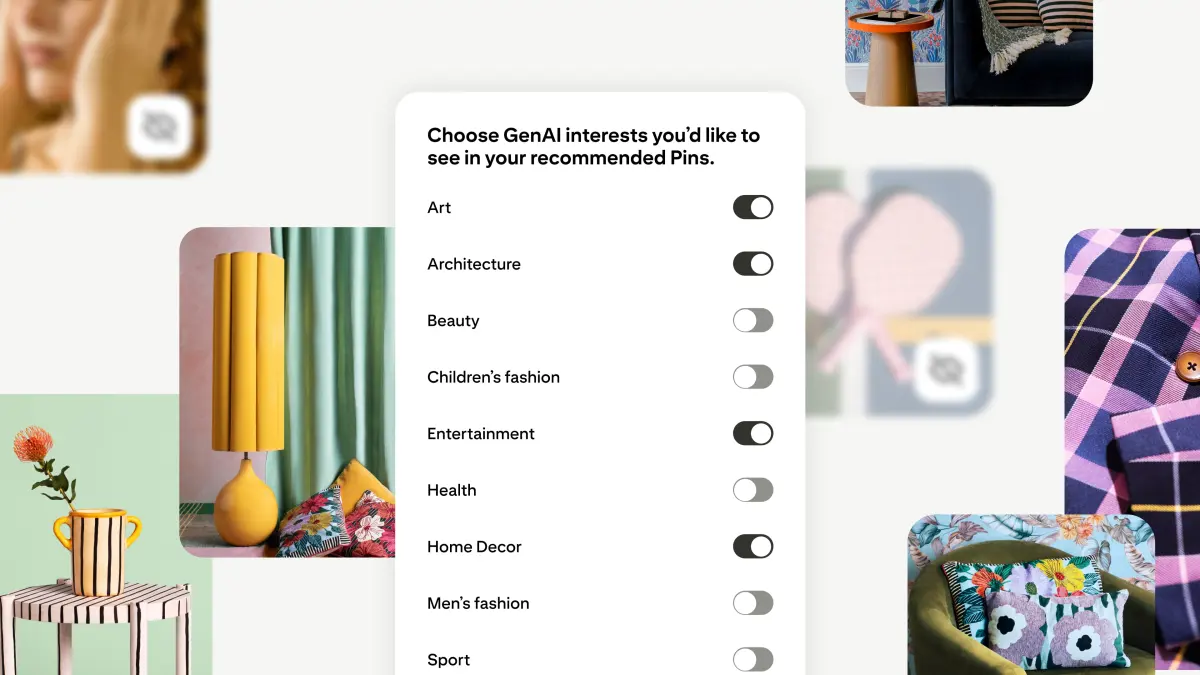
Pinterest is giving users more control over their feeds as frustration grows over “AI slop” crowding out real-life inspiration. The platform has introduced new tools that let people limit how much AI-generated imagery they see, along with clearer labels to help identify when content was made or modified by generative AI.
The move follows months of complaints from users who say their boards and recommendations are being overwhelmed by synthetic images. It’s a serious concern for a service known for aspirational ideas and shopping inspiration; if the shift toward AI content goes unchecked, it risks eroding trust and engagement. Pinterest points to academic research indicating that generative AI now accounts for 57% of all online material, making the problem both widespread and increasingly difficult to spot as quality improves.
What’s new:
– Feed controls for AI content: In Settings, under Refine your recommendations, users can now choose to see less generative AI in categories most affected by synthetic imagery, such as beauty, art, fashion, and home décor. More categories will be added over time based on feedback, and preferences can be changed at any point.
– Clearer AI labels: Pinterest’s existing “AI modified” labels are being made more prominent so people can quickly tell when an image was generated or altered by AI.
– In-the-moment feedback: While browsing, users can tap the three-dot menu on any Pin and indicate that they want to see fewer AI-generated images like it, helping fine-tune recommendations in real time.
Availability starts on the website and Android, with iOS rolling out in the coming weeks.
Pinterest first laid groundwork for these changes earlier this year with AI detection and labeling based on image metadata and the company’s own systems. Today’s release delivers on the promise of consumer-facing controls so each person can tailor their experience without abandoning the categories they love.
“Our community is at the heart of everything we do,” said Matt Madrigal, Pinterest’s Chief Technology Officer. “With our new GenAI controls, we’re empowering people to personalize their Pinterest experience more than ever—striking the right balance between human creativity and AI innovation, and ensuring every feed truly reflects what inspires them most.”
How to limit AI-generated content on Pinterest:
– Open Settings in the Pinterest app or on the web.
– Go to Refine your recommendations.
– Choose the categories where you want to see less generative AI, such as beauty, art, fashion, or home décor.
– As you browse, use the three-dot menu on any Pin to send feedback and refine your feed further.
By foregrounding transparency and user choice, Pinterest is aiming to keep its core promise intact: a place to discover human-centered ideas, plan projects, and shop with confidence—without letting AI overwhelm the experience.