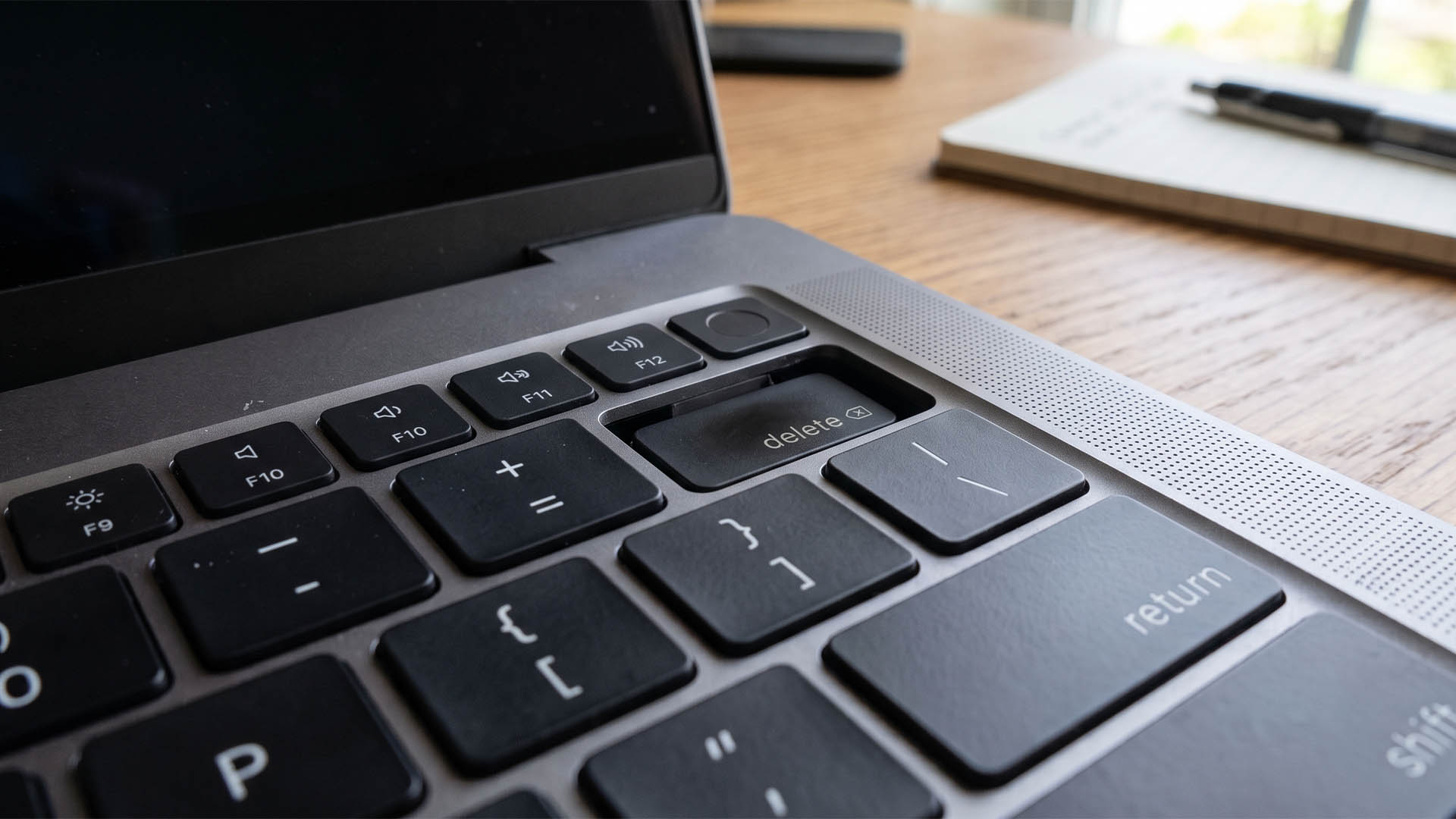
M5 Max MacBook Pro Overheating Reportedly Causes Delete Key to Get Stuck Inside the Chassis
A MacBook Pro owner claims their M5 Max model became so hot under heavy workloads that the delete key warped and slipped into the laptop’s chassis, creating an unusual and expensive hardware problem. The issue reportedly required a visit to an Apple retail store, where the owner was told the repair could cost around $895 if the machine were not covered under warranty.
According to the user’s account on Reddit, this was not the first time the same problem happened. The delete key, which sits close to the MacBook Pro’s exhaust area, may be especially vulnerable to heat exposure when the system is pushed hard for extended periods. The owner believes that high internal temperatures caused the key to deform enough to get caught inside the chassis.
The M5 Max MacBook Pro uses a cooling setup with two low-profile fans and a single heatpipe. While Apple’s newer chip architecture has reportedly improved thermal behavior compared with the previous M4 Max generation, demanding workloads can still send temperatures climbing rapidly. In some stress scenarios, these machines are said to reach or exceed 100°C within seconds.
That raises questions about whether Apple’s long-running cooling design is still enough for its increasingly powerful chips. Apple has continued to raise performance limits across its high-end silicon, but the MacBook Pro’s internal cooling system has not changed dramatically in recent years. This is one reason rumors have suggested that future models may finally adopt vapor chamber cooling, a solution commonly used to spread heat more efficiently in high-performance compact devices.
The reported delete key issue is not the only heat-related concern mentioned by M5 Max MacBook Pro users. Another owner previously described display discoloration on a model using a mini-LED panel, though it remains unclear whether excessive heat, a hardware flaw, or another defect caused that problem.
There have also been reports of NAND flash temperatures reaching around 100°C during demanding AI workloads. Since these laptops use fast PCIe NVMe Gen 5 storage, higher SSD temperatures are not entirely unexpected. Still, the combination of intense chip heat, hot storage, and a thin laptop body can make owners uncomfortable, especially when temperatures approach triple digits.
Some users argue that the warped key incident may be isolated. Others claim that similar cases are becoming more common, particularly with certain custom M5 Max MacBook Pro configurations allegedly originating from China. However, those quality control claims remain unconfirmed, so they should be treated cautiously until more evidence appears.
For owners, the bigger concern is simple: even if Apple’s chips are designed to operate at high temperatures for long periods, surrounding components still need to withstand that heat. A keyboard key warping or getting stuck is not the kind of issue users expect from a premium laptop, especially one aimed at professionals running intensive creative, development, or AI workloads.
If your M5 Max MacBook Pro frequently runs hot, it may be worth monitoring temperatures during demanding tasks and making sure the exhaust area is not blocked. Keeping the keyboard clean can also help prevent dust or debris from getting trapped beneath individual keys, though cleaning alone will not solve a true heat-related deformation problem.
For now, this appears to be a limited but concerning report. If more MacBook Pro owners experience similar delete key or heat-related hardware issues, it could put more pressure on Apple to rethink the thermal design of its future high-performance laptops.