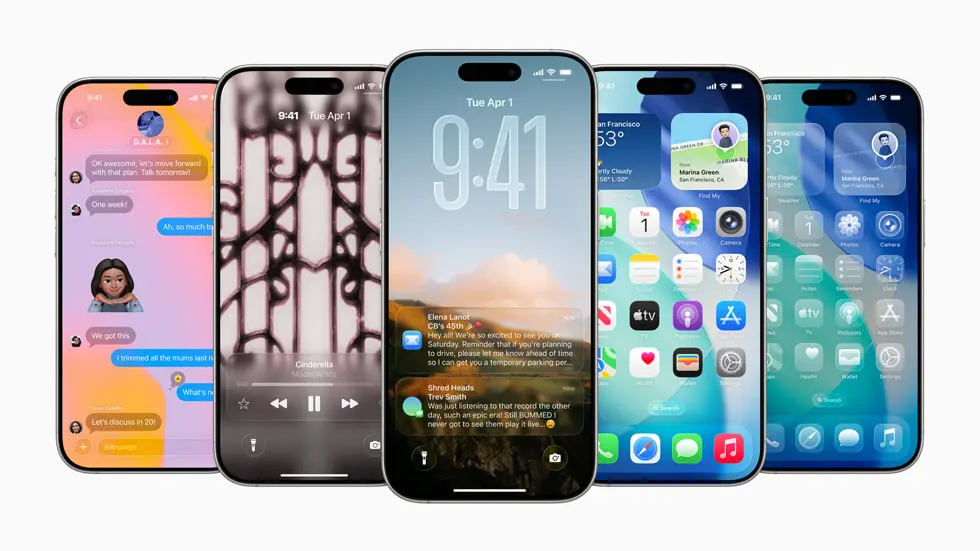
Apple’s latest iOS 26.2 beta 1 packs a surprising number of quality-of-life upgrades, smarter tools, and new personalization options for iPhone users. With a public release expected in December, this update looks set to refine the experience across the Lock Screen, Reminders, AirPods, Apple News, Apple Podcasts, and Apple Music.
One of the most eye-catching tweaks is the new Liquid Glass slider for the Lock Screen clock. You can now fine-tune the clock’s opacity, taking it from a subtle, frosted look all the way to nearly transparent. Prefer the classic style? There’s still an option to switch Liquid Glass off completely.
The Reminders app is getting a productivity boost with true alarm functionality. When you set a reminder with a specific time and mark it as Urgent, iOS 26.2 will trigger an alarm at that moment. It’s a small change with big impact, helping you stay on top of time-sensitive tasks and deadlines.
Live translation on AirPods is expanding to users in the EU as part of the iOS 26.2 rollout. If someone speaks to you in another language, Siri can deliver spoken translations directly through your AirPods. This feature debuted with iOS 26 in select regions and is now reaching more users after additional work to meet regional requirements.
The Apple News app is getting easier to navigate with a new Following tab in the bottom bar. It pulls together your favorites, saved stories, and reading history, and introduces quick-access buttons for popular topics like Food, Politics, Puzzles, and Sports. It’s a simple way to jump back into the stories and sections you care about most.
Apple Podcasts is also leveling up discovery and navigation. AI-generated chapters will help listeners skim long episodes and jump to the moments that matter. A new Podcast Mentions feature will automatically add a reference in the episode description when a host talks about another show, making it easier to explore related podcasts without extra searching.
Music lovers will appreciate offline lyrics in Apple Music. You’ll be able to view song lyrics even without Wi‑Fi or cellular service, perfect for flights or low‑signal areas. And for accessibility and awareness, iOS 26.2 introduces an option to have your iPhone screen flash when a notification arrives. You can enable this in the Settings app under Accessibility.
In short, iOS 26.2 beta 1 focuses on personalization, productivity, and smarter media experiences, with thoughtful additions that should appeal to a wide range of users. Keep an eye out for the public release in December if you’re ready to try the new Lock Screen clock controls, timed reminder alarms, AirPods live translation in the EU, streamlined Apple News navigation, richer Apple Podcasts discovery, offline lyrics, and the new screen flash alert for notifications.