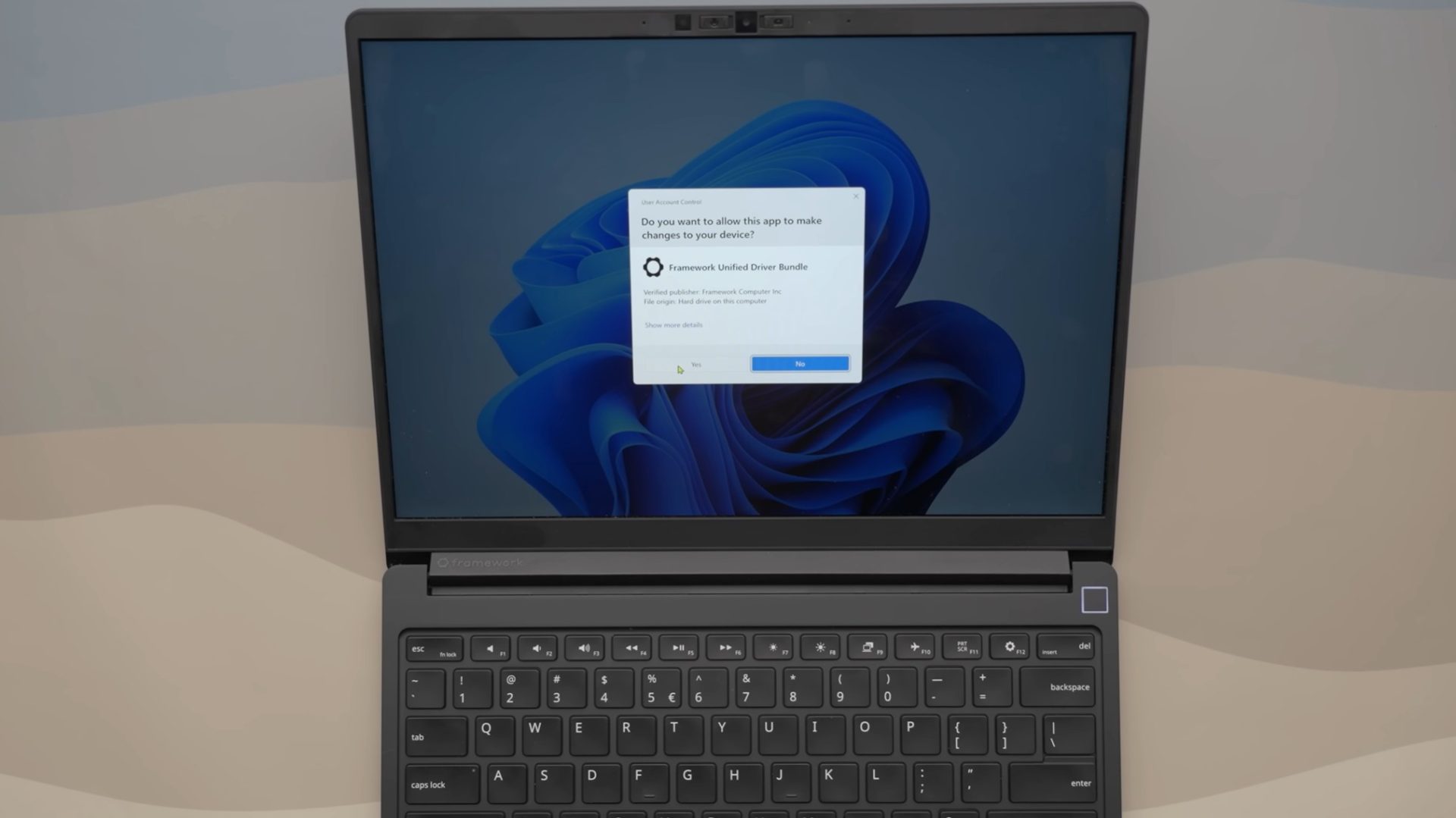
Framework Laptop 13 Pro makes Windows 11 driver setup much easier for DIY buyers
The Framework Laptop 13 Pro is already getting attention from major tech reviewers, and for good reason. It continues Framework’s focus on modular design, repairability, upgradeable parts, and user-friendly hardware. But beyond the usual talking points like performance, battery life, and build quality, one small software improvement may be one of its most practical upgrades for DIY laptop owners.
Framework has simplified one of the most annoying parts of setting up a fresh Windows 11 installation: installing drivers.
For anyone who has built a PC, reinstalled Windows, or purchased a DIY laptop kit, driver installation can be a slow and frustrating process. After installing the operating system, users often have to visit the manufacturer’s website, search for the correct model, download multiple driver packages, run each installer one by one, and reboot the system several times along the way.
Framework is changing that experience with a single executable file that installs all required Windows 11 drivers at once.
Instead of forcing users to manually install separate drivers for graphics, audio, Wi-Fi, Bluetooth, chipset, fingerprint readers, and other hardware components, Framework’s driver bundle handles the process in one go. For DIY buyers, this can save a significant amount of time and reduce the chances of installing the wrong driver.
This is a welcome improvement because relying on Windows 11 to automatically find and install drivers is not always ideal. While Windows Update can handle many basic drivers, it does not always provide the latest or most accurate versions. In some cases, Windows may install generic drivers, outdated packages, or duplicate components that can lead to performance issues, hardware glitches, or system instability.
Driver conflicts can be especially frustrating. Incorrect or overlapping driver installations can cause random bugs, poor device performance, broken features, or even blue screen crashes. That is why having a clean, manufacturer-approved driver package is such a useful feature.
What makes Framework’s approach stand out is how simple it is. Users can install Windows 11, run one file, and get the full driver setup without jumping through a long list of steps. There is no need to launch a dozen separate installers, no need to babysit the process, and no need to restart after every individual component.
This may sound like a small detail, but it matters a lot for the audience Framework is targeting. The Framework Laptop 13 Pro appeals to users who want more control over their device. Many of these buyers are comfortable upgrading storage, swapping memory, replacing ports, or reinstalling an operating system. For that group, a smoother driver installation process makes the entire ownership experience better.
It also highlights a broader issue in the laptop market. Many notebook manufacturers spend time adding preinstalled apps, trial software, advertisements, and control panels that users often remove immediately. Yet something as basic as a clean, unified driver installer is still missing from many systems.
Framework’s decision shows that improving the user experience does not always require flashy features. Sometimes, the most valuable upgrades are the ones that remove friction from routine tasks.
The Framework Laptop 13 Pro already has plenty going for it, including its modular construction and repair-friendly design. But this driver installation improvement adds another layer to its appeal. It makes the laptop easier to set up, easier to maintain, and more convenient for people who prefer a clean Windows 11 installation.
For DIY laptop buyers, this could become one of those quality-of-life features that feels obvious once you use it. And hopefully, it encourages more laptop makers to offer similarly simple driver installation tools in the future.