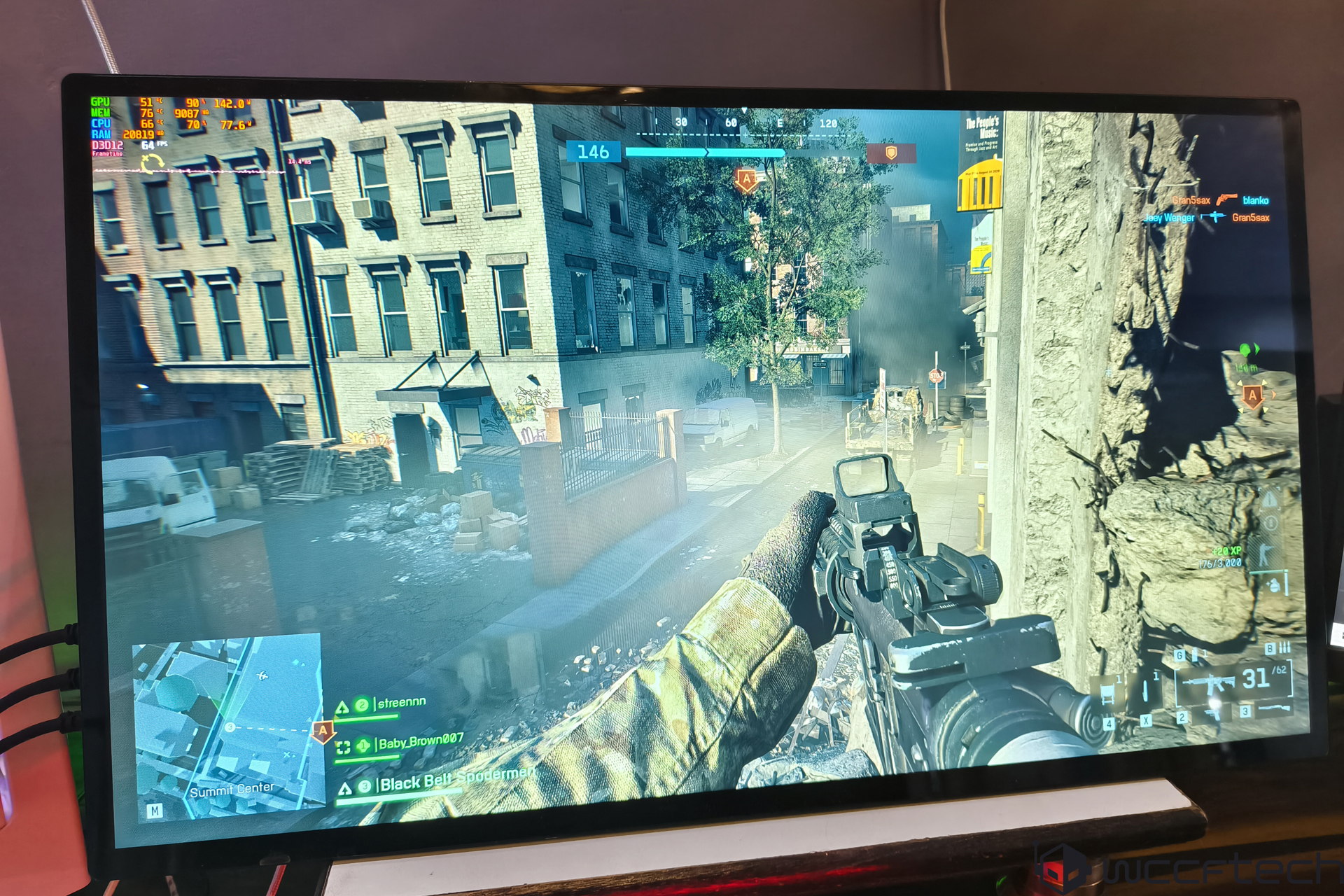
If you’ve ever wished your portable monitor felt more like a real desktop display, the UPERFECT UMax 24 is going to grab your attention. Calling a 24.5-inch panel “portable” sounds odd, but that’s precisely the appeal: it doubles as a travel-friendly screen and a capable everyday monitor with fewer compromises than most smaller options. After two weeks of use, here’s how it stacks up for work, play, and everything in between.
What’s in the box
– UMax 24 monitor
– 2x USB-C to USB-C cables
– 1x Mini HDMI to HDMI cable
– Power adapter
– User manual
Key specs at a glance
– Screen size: 24.5 inches
– Resolution: 2560 x 1440 (QHD)
– Refresh rate: Up to 165Hz
– Panel: IPS
– Response time: 10ms GtG
– Brightness: 320 nits typical, up to 360 nits
– Contrast: 1000:1
– Color: 100% sRGB
– Aspect ratio: 16:9
– Viewing angles: 178°/178°
– Touch: 10‑point touchscreen (optional)
– HDR: Compatible
– Adaptive sync: AMD FreeSync
– Speakers: 2x 1W
– Power: 18W rated
– Weight: ~2.46 kg
Design and build
The UMax 24 makes a strong first impression. A sturdy metal frame lends it a more premium feel than many compact portables, and the integrated kickstand is rock solid across a wide range of tilt angles with minimal wobble. Be aware, though, that despite marketing language about “height adjustment” and “rotation,” those require a separate VESA stand or arm; the built-in stand only tilts. Bezels are slim on the top and sides at under 1 cm, with a slightly larger chin.
At roughly 2.5 kg, it’s not the kind of screen you casually toss into a small backpack. Still, compared with a traditional 24-inch desktop monitor and stand, the UMax 24 is far easier to move, set up, and stow away.
Ports and setup
You get a simple, travel-friendly I/O layout:
– 1x Mini HDMI for video
– 2x USB-C: one for power delivery (20W recommended), one for video input and enabling touch
In practice, setup is straightforward. You can feed video via Mini HDMI or USB-C. If you want touch input, connect the second USB-C to your laptop or PC. The side-mounted buttons handle OSD navigation, and you can also use the touchscreen to dig into settings like brightness, color temperature, HDR toggle, “eye comfort” mode, and audio.
Image quality and color accuracy
This is where the UMax 24 shines for both productivity and entertainment. The 1440p resolution at 24.5 inches delivers a crisp bump in pixel density over 1080p, so text looks cleaner and photos and videos appear more detailed. The panel covers 100% sRGB, making it a solid choice for web-focused creators, content editors, and anyone who cares about reliable color out of the box. HDR compatibility adds punch to supported content with brighter highlights and better perceived contrast than non‑HDR portables in this size class.
There are a couple of quirks to note:
– Off-axis artifacts: At roughly a 30-degree viewing angle, faint light gray vertical lines can appear on the opposite side across part of the screen, most visible on a white background. They disappear past about 60 degrees.
– Backlight bleed: The unit tested showed noticeable bleed along the top and right edge, more than typical for this category. Hopefully that’s not widespread, but it’s worth keeping in mind.
Touchscreen that actually helps you work
If you’re debating the touch vs. non-touch version, the touch upgrade is worth it. The 10‑point touchscreen feels smartphone-fast and accurate, and the larger canvas makes dragging, swiping, and annotating feel natural. For multitasking, creative tweaks, timeline scrubbing, or quickly moving windows around, it genuinely speeds things up.
Performance for gaming and smooth scrolling
With a refresh rate up to 165Hz, the UMax 24 delivers fluid motion for gaming and ultra-smooth scrolling in everyday use. FreeSync support helps reduce tearing with compatible GPUs. The 10ms response time is slower than desktop IPS gaming monitors that often hit 1–4ms, so you will see more motion blur during fast pans and rapid action. Competitive players will notice the difference most. For mixed gaming and casual play, the experience is still enjoyable thanks to the sharp QHD resolution and strong color.
A note on connections: via Mini HDMI, QHD at 144Hz was achievable in testing. That feels very close to 165Hz in practice. Over USB-C with DP Alt Mode, you can target the full spec if your device supports it.
Everyday usability
– OSD and controls: Intuitive, with useful presets and toggles you’ll actually use.
– Speakers: The built-in 1W drivers are fine for system sounds and calls but lack fullness and volume. Headphones or external speakers are recommended.
– Thermals: The I/O area can get warm during extended sessions, especially at higher brightness and refresh rates, though it didn’t affect performance in testing.
Who should buy it
– Remote workers and students who want a single screen that can live on a desk and still pack into a larger bag when needed.
– Creators and professionals who value 1440p sharpness, 100% sRGB color, HDR support, and touch input for faster navigation.
– Gamers who want a portable QHD panel with high refresh rate and can accept slower response times than dedicated esports monitors.
Value and verdict
At an MSRP of $599, the UMax 24 sits in premium territory—close to the price of some larger 27-inch QHD displays, including OLED options. But this isn’t a traditional desktop monitor. The portability, integrated stand, touch capability, and cable-light setup fundamentally change how and where you can use it. At a discounted price around $489, the feature set makes a lot more sense and becomes genuinely compelling.
The bottom line: the UPERFECT UMax 24 is a big portable monitor that behaves like a proper desktop display. You get crisp 1440p visuals, a high refresh rate, accurate color, and an excellent touch experience in a package that’s easier to carry and set up than a conventional monitor. Just be aware of the slower response time, the potential for backlight bleed, modest speakers, and some heat near the ports. If you can live with those trade-offs, it’s a versatile do‑it‑all screen for productivity and play.
Pros
– Sharp 1440p panel with 100% sRGB
– Up to 165Hz with FreeSync for smooth motion
– Responsive 10‑point touchscreen option
– HDR compatibility for richer visuals
– Solid metal build and stable kickstand
– Simple USB-C setup and generous cable bundle
Cons
– 10ms response time produces more motion blur than desktop gaming IPS panels
– Noticeable backlight bleed on the tested unit
– Tinny 1W speakers
– I/O area warms up during longer sessions
– Heavier and bulkier than most “portable” monitors