The ASUS ROG Strix GeForce RTX 3090 is a premium-looking graphics card, but it has an easy-to-miss design risk that can turn a routine maintenance job into an expensive failure. In certain situations, a simple teardown and reassembly—especially when swapping thermal pads—can lead to damaged PCB traces and burnt surface-mounted components, potentially killing the GPU if the issue isn’t caught in time.
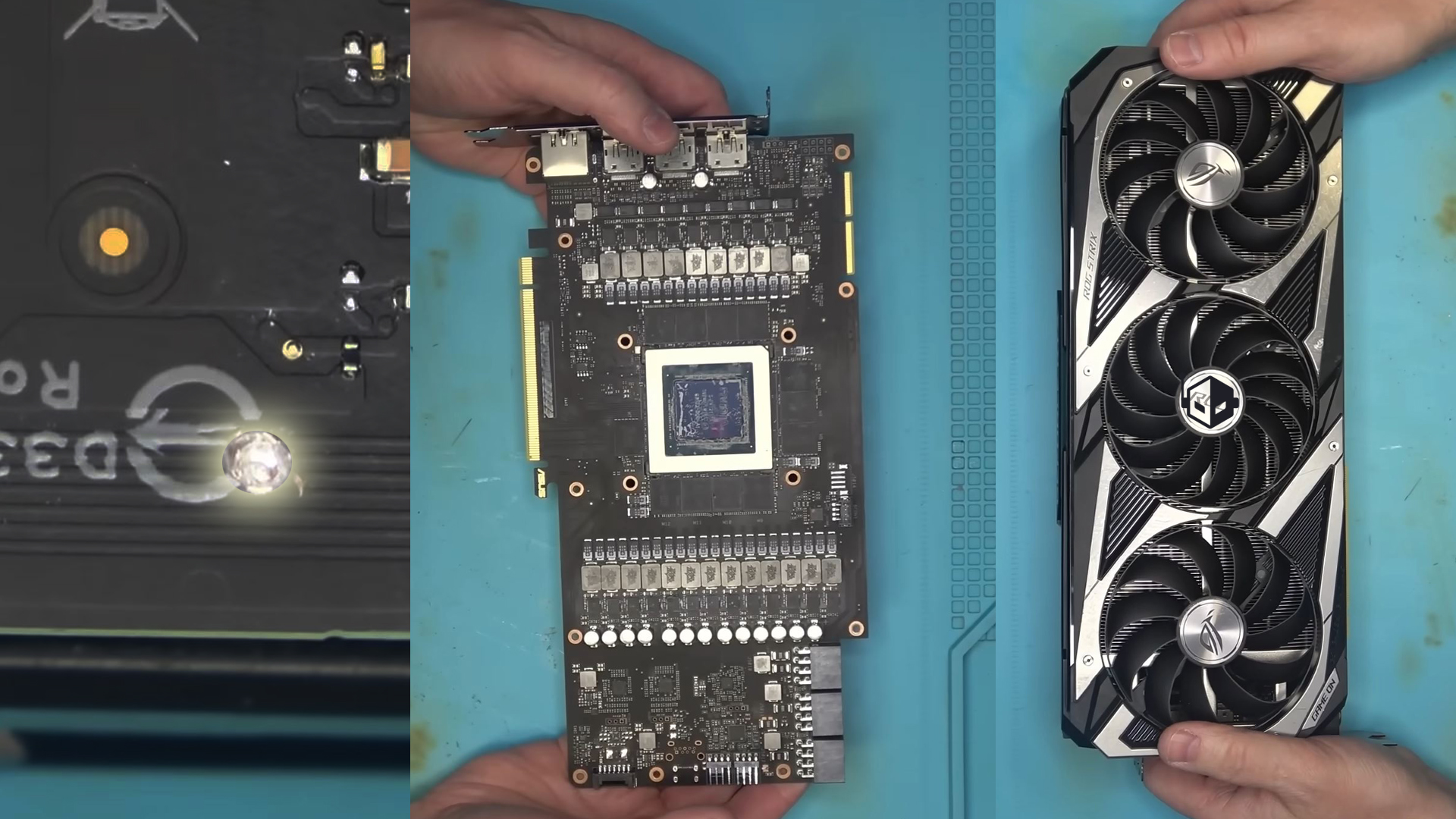
A recent repair case highlighted how quickly things can go wrong when too much pressure is applied during reassembly. Hardware technician NorthWestRepair showcased an ASUS Strix RTX 3090 that arrived with PCB damage after its owner attempted a thermal pad replacement. The problem centers on a small section of the shroud on the side of the card, near the “GeForce RTX” branding. In that area, two small screws sit uncomfortably close to the PCB. If those screws are tightened too aggressively, they can press into the board and damage delicate traces.
That’s exactly what happened here. The card’s owner unknowingly over-tightened the shroud screws, which led to trace damage and created a short circuit. Once a GPU shorts, the fallout can spread beyond the original contact point, taking out nearby components and making the repair significantly more complicated than the initial mistake.
In this case, the fix required more than just addressing the visible board damage. NorthWestRepair ultimately brought the card back to life, but only after replacing multiple critical parts on the VRM section, including three driver MOSFETs and a phase controller. The damaged PCB traces also had to be repaired to fully resolve the shorting issue and restore stable operation. The technician even dubbed these fasteners “screws of death,” emphasizing how their placement near the PCB makes them far riskier than most users would expect.
The takeaway for PC builders and GPU owners is simple: modern high-end graphics cards pack dense circuitry and fragile surface components, and even “basic” jobs like replacing thermal pads can become dangerous if you’re not experienced. If you’re working on an ASUS Strix RTX 3090 (or similarly constructed GPUs), be especially cautious around shroud screws located close to the PCB, avoid applying excess torque, and consider professional help if you’re unsure—because a few seconds of over-tightening can lead to a costly repair.